
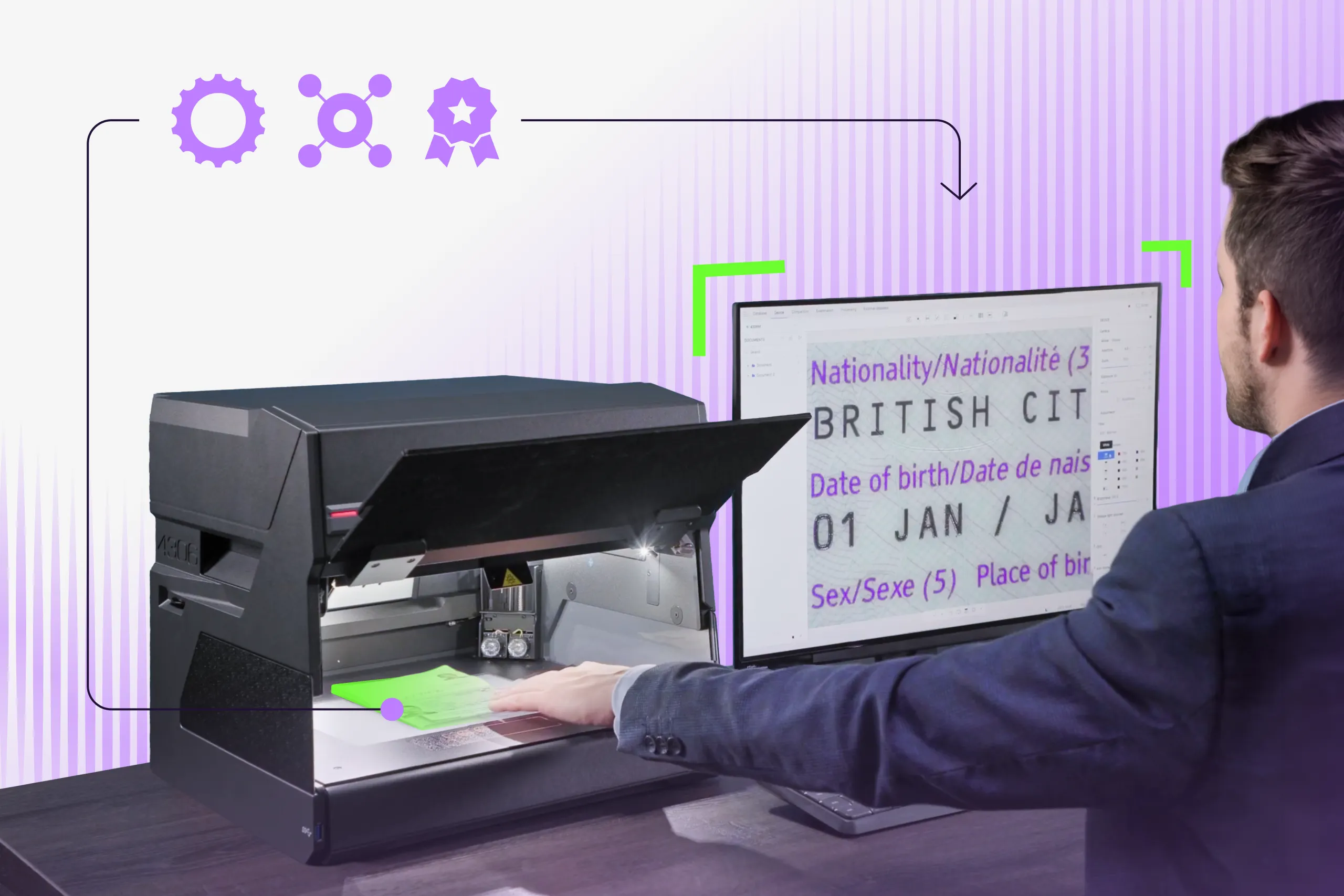
There are many professions in which truly reliable work instruments are key, and a forensic document examiner (FDE) is one of them. This places additional responsibility on manufacturers of forensic equipment: their solutions must be not only accurate and dependable, but also intuitive and easy to use.
In this article, we highlight eight features of Regula Forensic Studio that simplify everyday workflows and make the experience of working with Regula devices more efficient — and even more enjoyable.
Regula Forensic Studio (RFS) is operating software for Regula’s forensic solutions intended for advanced authentication and forensic examination of handwritten documents, banknotes, travel and identity documents, collectibles, etc.

Subscribe to receive a bi-weekly blog digest from Regula
1. Automatic ID document authentication
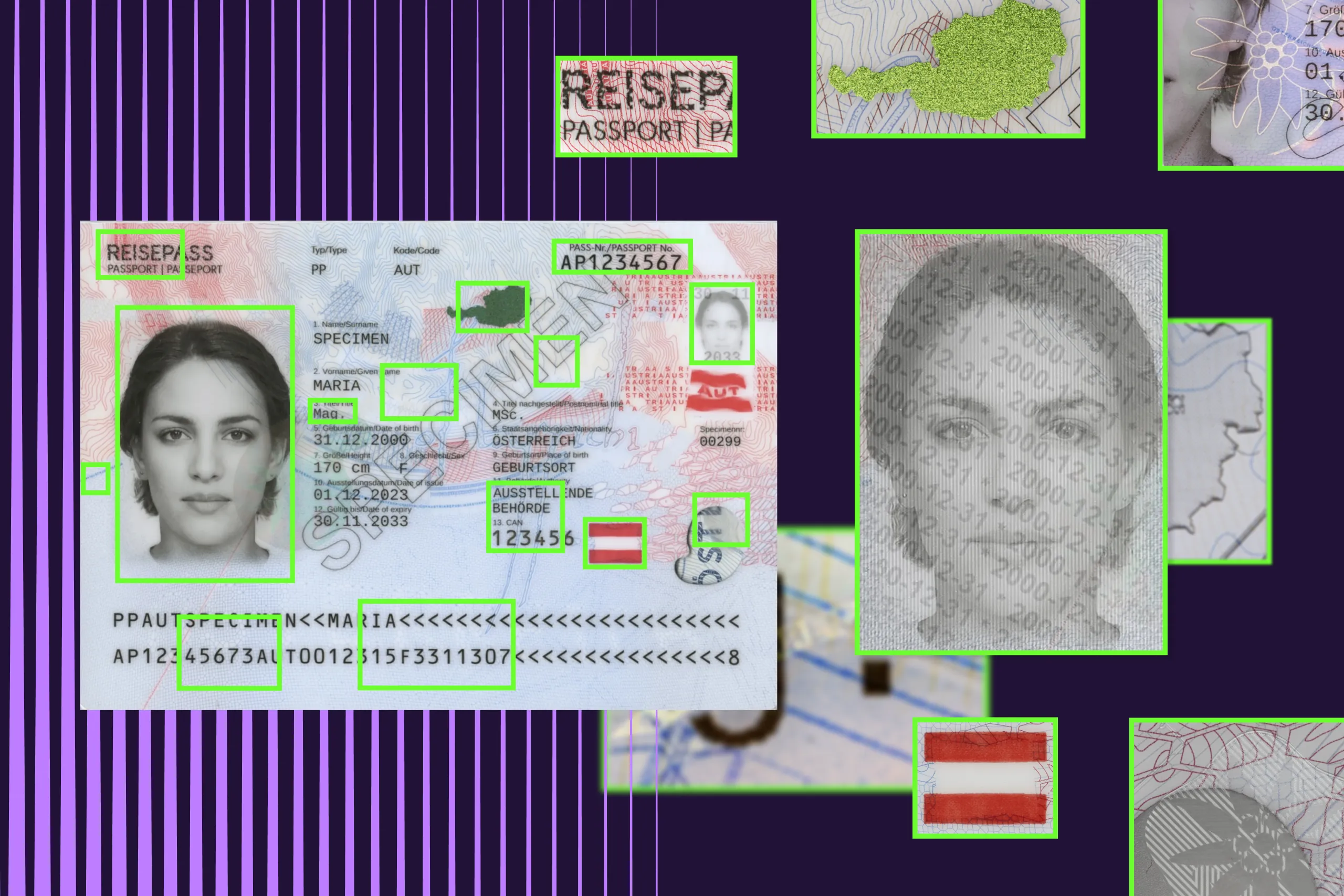
The integrated Document Reader SDK performs automatic authentication of any identity or travel document placed in the working area. As a result of the examination, experts obtain extracted data from the MRZ, RFID chip, and barcode (if present), as well as document images captured under white, ultraviolet, and infrared light sources. The system also cross-compares data from the visual inspection zone, MRZ, and RFID chip to automatically identify inconsistencies, which saves time by eliminating the need for lengthy manual checks by experts.
Any detected discrepancies are highlighted in red and can be used as an initial screening tool, providing the examiner with clear indications of potential document tampering or forgery. For example, if no data can be extracted from the RFID chip, it may indicate intentional chip damage and prompt closer inspection of the chip area. Likewise, if a document fails the UV dull paper check, the examiner can further investigate whether the issue is caused by the use of non-security paper (counterfeit) or by accidental chemical exposure, such as washing with bleach.
2. Face matching module supports up to 6 images
The face matching module provides a convenient and powerful way to compare a person’s portraits and find out how similar the faces are. The classical method involves comparing the main portrait from an ID document with a photo captured by an external camera and the image stored in the RFID chip.
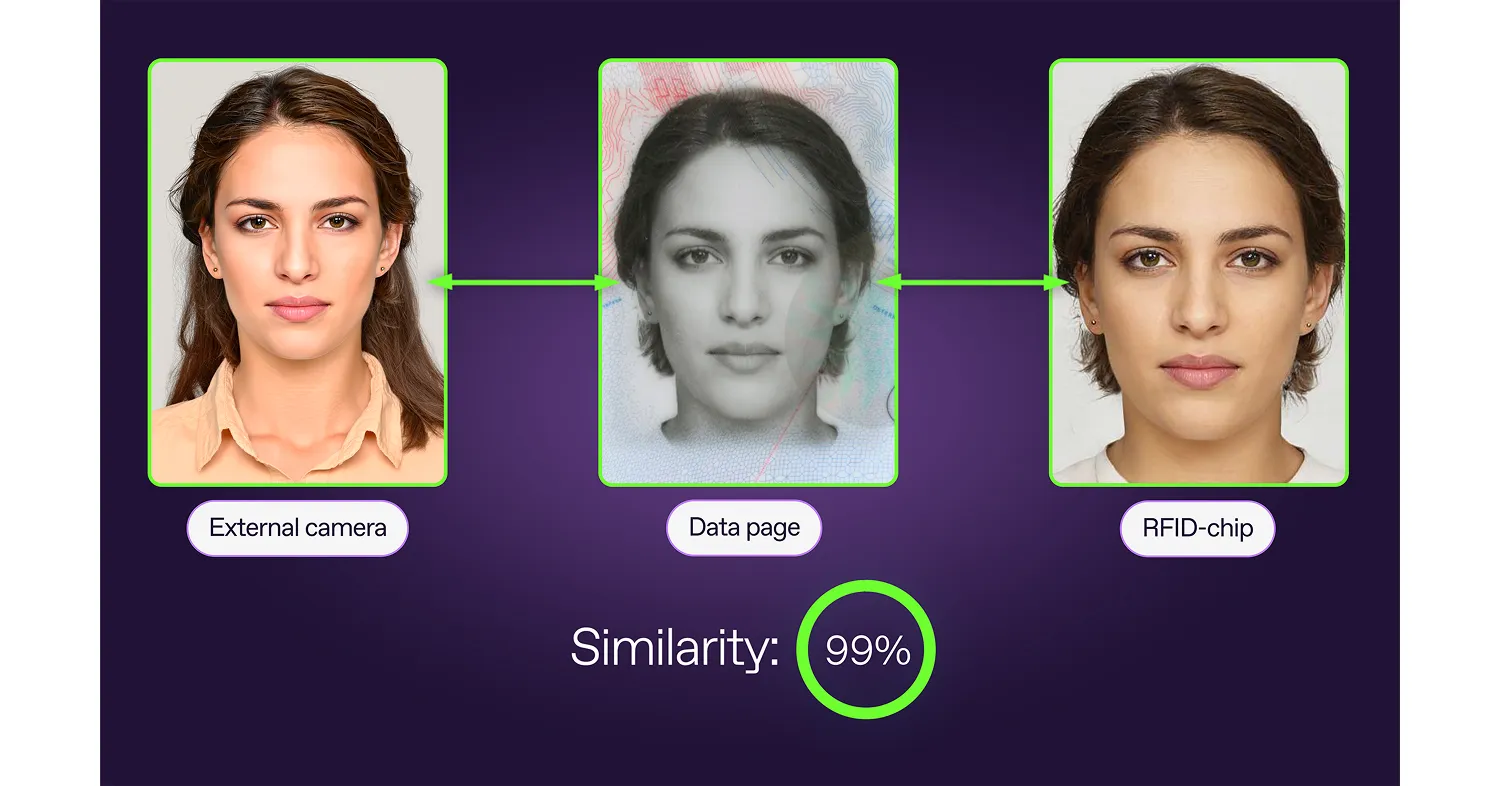
Previously, the module supported three possible facial comparison combinations.
However, modern identity documents may contain four, five, or even more portraits of the document holder.
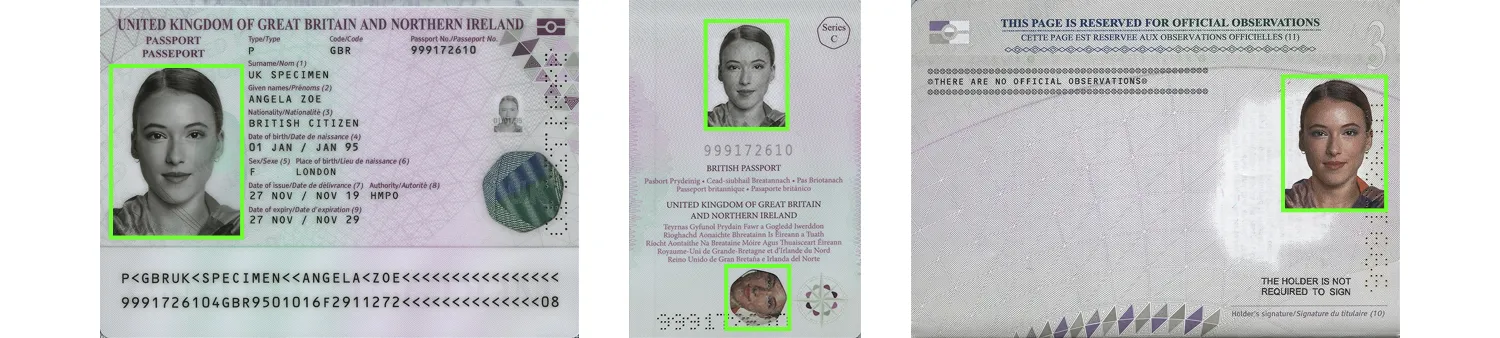
UK passport issued in 2020. The document contains four holder’s portraits.
To meet the trend of the increased number of holder’s portraits, we’ve expanded the comparison capability to support up to six photos for simultaneous face comparison. This unique feature allows for comparison of up to five holder portraits contained in a document (including the portrait stored in the RFID chip) with a portrait captured by an external camera. Each image is compared against the others, and a similarity rate is calculated for each pair.
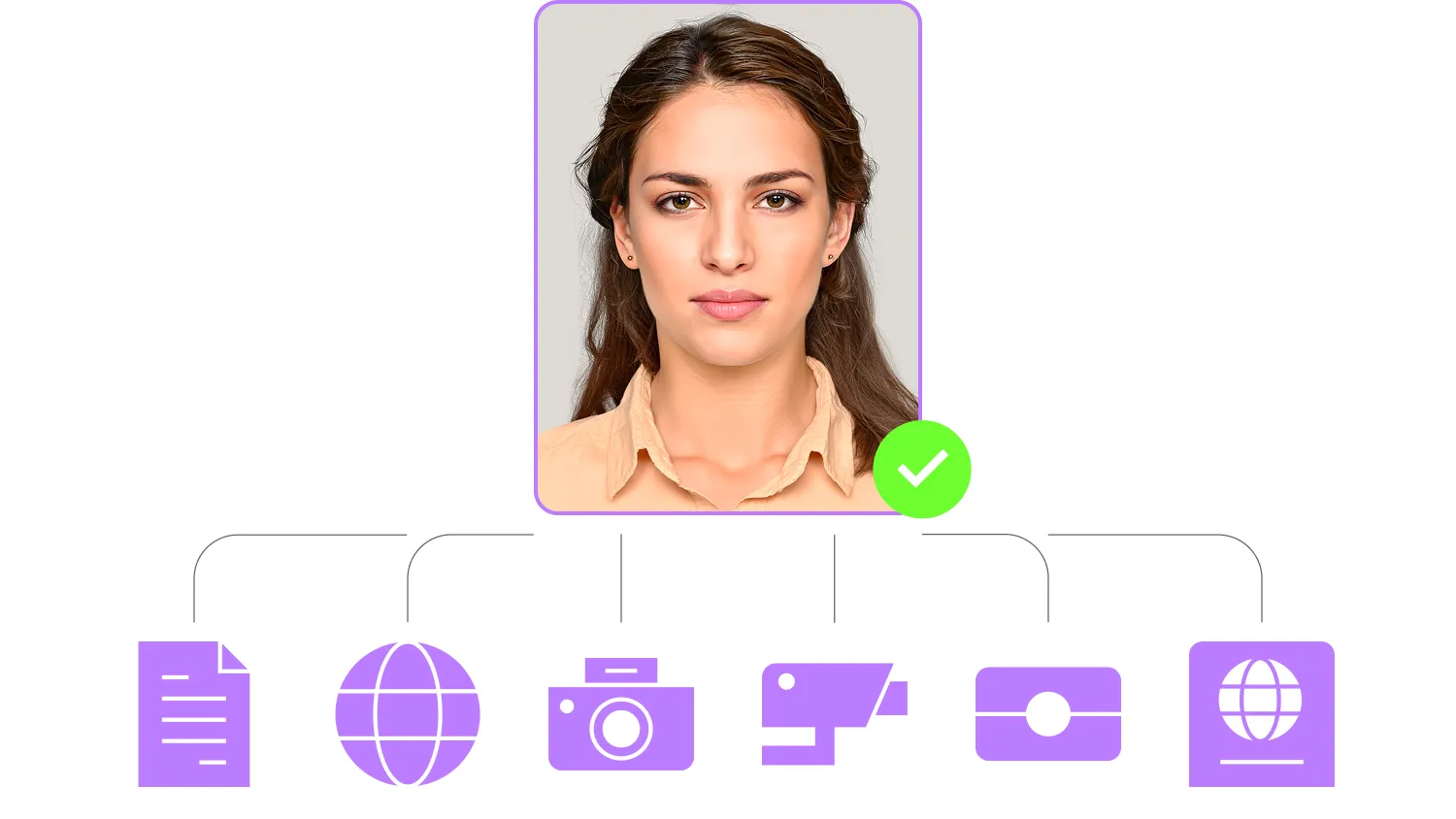
This works not only when a document contains multiple holder portraits, but also when comparing images from different sources — for example, a photo from the ID document, one stored in the RFID chip, one captured by an external camera, and additional images from security cameras, social media, databases, blacklists, or other documents.
This unique feature is a cross-link between a forensic document examiner, a forensic facial identification expert, and law enforcement officers carrying out personal identification. The examination results, including the calculated similarity rate, can be further used as supporting data in forensic facial identification analysis.
3. A built-in text editor
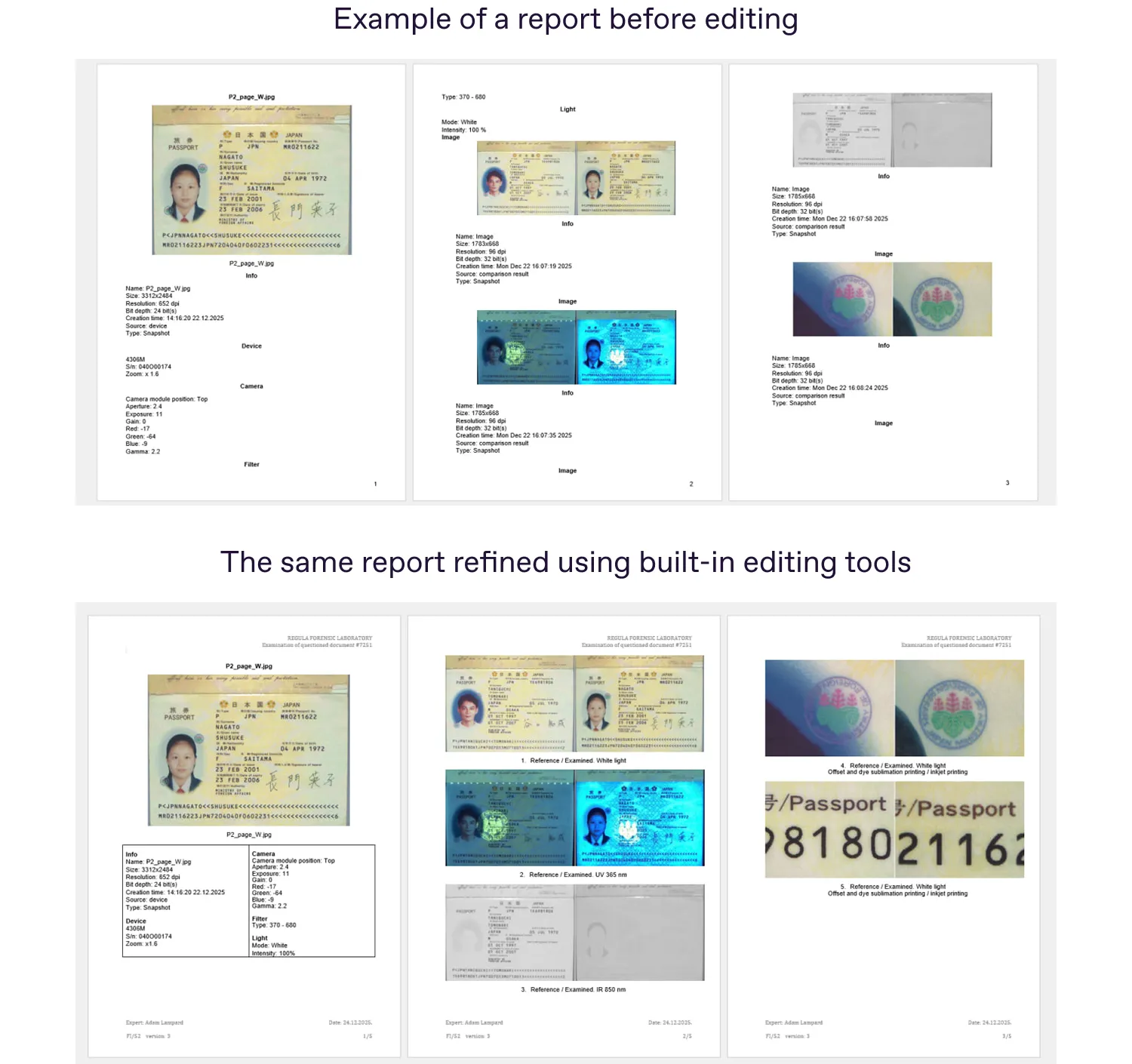
Regula Forensic Studio is capable of automatically generating reports based on captured evidence and the results of document analysis, with metadata added to each image. For convenience, the generated reports can be refined using the built-in text editor without leaving the RFS environment.
A user can delete or edit text, resize images, add tables, create bulleted or numbered lists, add column titles, and align content as required. This allows examiners to prepare final reports that fully meet official and organizational requirements without leaving the Regula Forensic Studio program.
In addition, there’s the capability to include results and data obtained from other examinations and analyses in the generated report.
4. Recording of video streams
The ability to record screen activity or stream video is highly valuable in the workflow of a forensic document examiner. The functionality supported in Regula Forensic Studio enables users to create video recordings of examinations, which can be further used for collecting video evidence to support and clearly illustrate the expert’s conclusions, staff training, and internal knowledge sharing.
With just one click, an expert can record a screencast of a document examination that can be used as evidence in court proceedings.
5. Time-saving macros
RFS’s built-in macro creation tools allow examiners to create automated action sequences for repetitive tasks. Using specific lighting and filtering techniques, the system accelerates authenticity examinations of large volumes of travel documents, printed and handwritten documents, or banknotes — for example, bundles of 50, 100, or more items.
In such cases, the examiner needs to perform the examination manually only once, recording each step in a macro that can then be applied consistently to all subsequent items.
For example, if an expert needs to examine a bundle of 50 handwritten documents, the procedure normally has to be repeated manually for each document. With macros, the expert performs the examination only once (for instance, a 20-minute examination) and then spends additional time creating a macro recording the required steps, such as adjusting zoom, switching between light sources and filters, and capturing images. After that, the entire bundle of documents can be examined automatically and consistently. In the case of a 20-minute manual examination, using a macro that takes 8 minutes reduces the total examination time for a bundle of documents by 60%.*
*The time savings vary depending on the macro configuration. The more steps the macro includes, the greater the time savings for the expert.
Also, if an examination lasts 30 minutes or more, automation frees the expert from continuous manual involvement, allowing them to focus on other tasks while the process runs automatically.
Many of our clients find it useful to create general macros for passports, ID cards, and banknotes, as well as specific macros tailored to particular documents or banknotes from certain regions.
Using macros in this way eliminates the need to recall individual security features or manually switch between light sources while navigating across the interface. With the help of just one predefined macro, the expert can instantly obtain the required examination sequence and captured images of the document.
In addition, macros can be used as a training tool for novice examiners, guiding them through the correct examination sequence and ensuring a standardized approach.
6. Vector-based control of the XY translation stage
The XY translation stage can be operated by simply dragging the image with the mouse directly within the working area. This provides greater comfort for the examiner, increases work efficiency, and reduces the need to navigate between different corners of the screen. The gestures are intuitive, as you simply need to select the part of the image you want to move and drag it to the desired position.
7. Live video and OVD image synchronization
Regula comparators are equipped with a line of white light sources designed for the visualization of optically variable devices (OVDs). The device camera captures a separate image at each illumination angle, which can then be combined into a GIF that reproduces the appearance of the OVD element. These GIFs, essentially a sequence of multiple images, can be used as reference materials during the examination of questioned documents.
At the same time, the RFS synchronization feature allows the examiner to instantly reproduce the same capture conditions in live examination mode as the ones that were used when creating the reference samples. By selecting an image from the reference sequence, the system automatically activates the same light source and illumination angle at which the image was originally captured.
Many of our clients create their own catalogs of holograms and other OVD elements from genuine document and banknote specimens. These reference collections allow experts to compare them with questioned passports or banknotes during future examinations.
8. HDR images for all types of light sources
High Dynamic Range (HDR) technology combines multiple exposure levels to capture both dark and bright details in a single image, so that nothing is lost in shadows or highlights. In standard imaging, bright areas may become overexposed while dark regions may be underexposed, causing important details to disappear. HDR prevents this by preserving faint details in darker areas and ensuring that bright security features are not washed out. This is particularly important in forensic examinations, where critical information can be hidden in extreme lighting conditions.
In addition, HDR produces balanced, highly detailed images of security features that involve strong contrast, such as holographic elements, foil stamps, optically variable inks, and microprinting within complex backgrounds. With such great clarity across the full tonal range, forensic analysis becomes much more reliable.
RFS also provides the possibility to observe images in both standard and HDR modes.
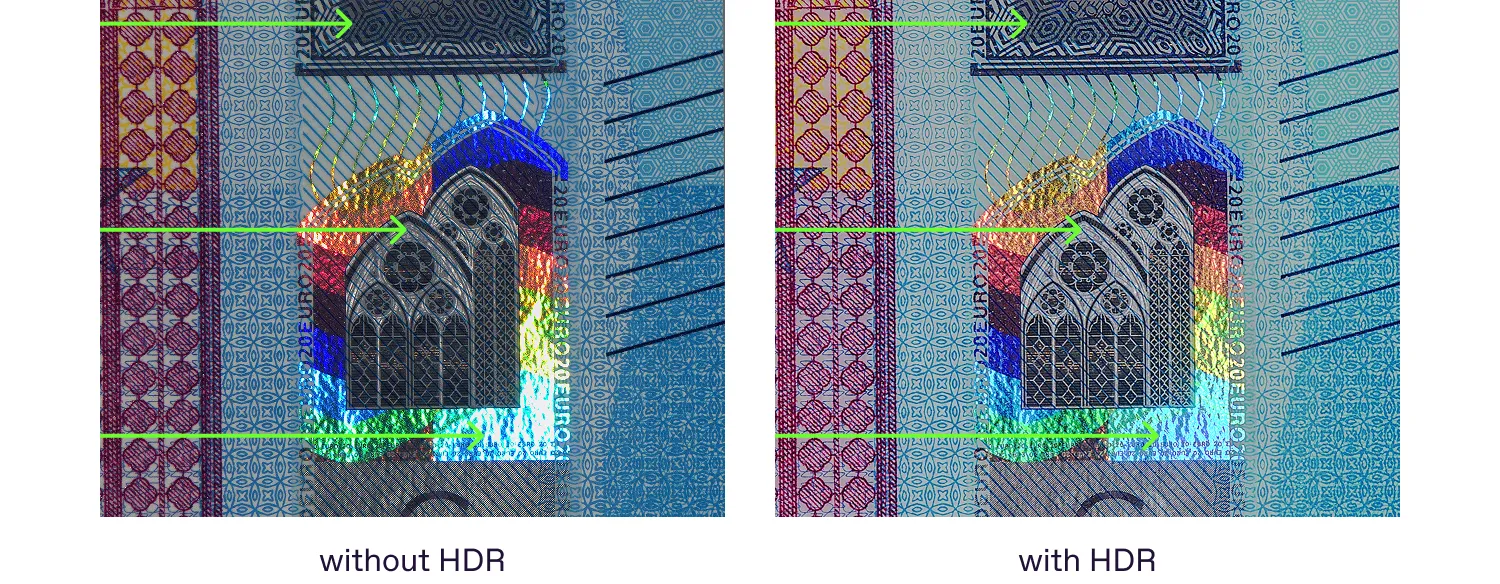
The difference between standard mode and HDR. An image in HDR appears brighter and more balanced, while avoiding overexposed regions.
Sometimes, certain elements exhibit very strong fluorescence and appear overexposed under ultraviolet light. If the exposure is reduced to compensate, the background may become excessively dark. In such cases, HDR mode provides a more balanced image, preserving details in both the intensely fluorescent areas and the darker background regions.
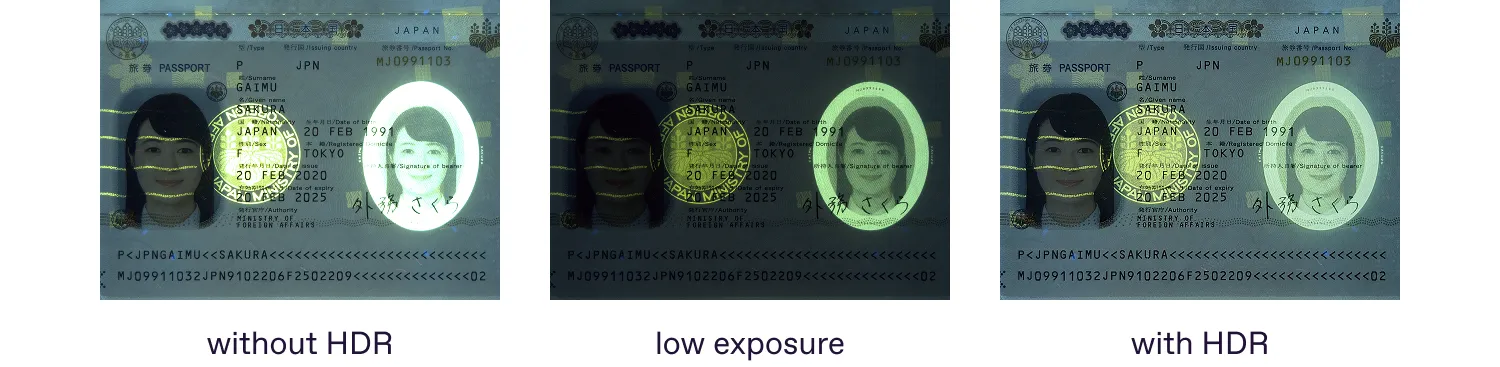
HDR mode compensates for strong fluorescence under UV light, revealing details in both bright and dark areas.
Focusing on usability, automation, and examiner convenience
Regula Forensic Studio is designed to support forensic experts not only with powerful examination tools, but also with practical features that make everyday work faster, clearer, and more comfortable. As forensic document examination often depends on small details, RFS provides solutions that help capture, analyze, and document evidence with maximum accuracy and efficiency.
Our goal is to ensure that working with Regula devices is not only reliable and professional, but also intuitive and comfortable for experts in real forensic workflows.