
Whenever a password is leaked, attackers can use it for the related platform, but they can also test it on other sites. That’s why many other layers of defense exist, one of which is a one-time password (OTP) that is meant to block fraud attempts by adding an extra short-lived check.
In this short guide, we will explain how OTP works and how it compares to other authentication methods such as biometrics as well as passkeys, security keys, push prompts, and magic links.

Subscribe to receive a bi-weekly blog digest from Regula
What is a one-time password (OTP)?
A one-time password is a temporary code that can be used once, or used during a short validity window, then it becomes invalid. Users enter it during sign-in or before a sensitive action, and the service validates it right away.
In practice, OTP comes in two types: delivered codes and generated codes. They can look similar to the user, yet they work and fail in different ways.
Delivered codes
Delivered OTP sends an OTP code by SMS, voice call, or email. The system is betting that the user still controls that channel at the moment of sign-in.
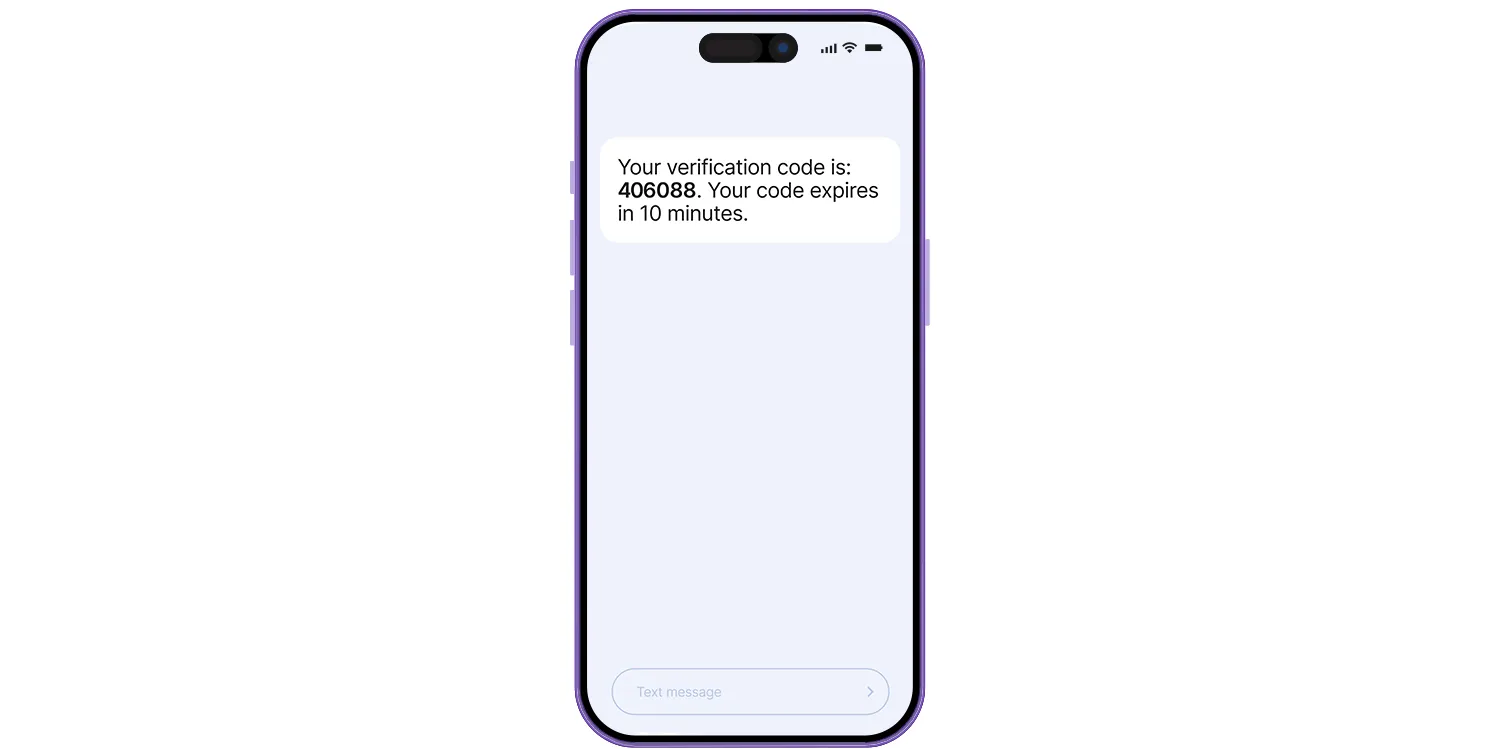
At the same time, a delivery method like an SMS can be exposed to phone-number takeover scenarios, including SIM swap fraud. Email codes depend on mailbox security, and inbox compromise is a common root cause in takeover investigations, partly because email is also used for password resets.
Generated codes
Generated OTP is most often associated with authentication apps. During enrollment, the service and the app both store a shared secret, typically via a QR code. That shared secret is used as a secret key to compute future codes.
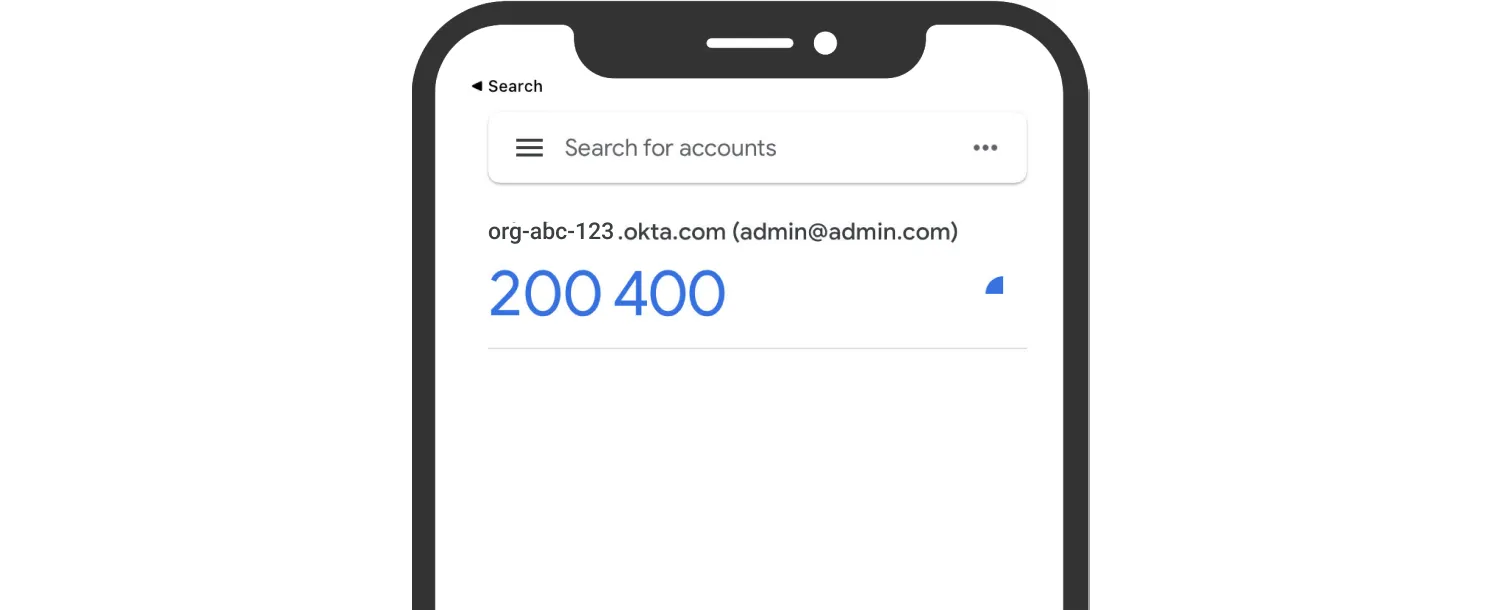
This removes dependence on SMS routing and email delivery at login time, which is why app-based OTP is usually preferred when an organization has a choice.
How does a one-time password work?
This question has two different answers, depending on how the code is created. A delivered code is issued by the service and transmitted through a channel. A generated code is calculated on the user side, then checked by the service.
The easiest way to remove ambiguity is to walk through the steps:
Delivered OTP
Sign-in: The user starts sign-in and passes an initial check (often a username and password).
Code creation: The service creates a random code, stores it briefly on the authentication server, and sets an expiration time.
Code delivery: The service sends the code via SMS, voice, or email.
User input: The user types the code into the sign-in form.
Verification: The service checks that the code matches and that it is within the time window.
Success: If it matches, the service accepts the login and invalidates the code so it cannot be reused.
Generated OTP
For generated OTP, the most common format is a time-based one-time password described in RFC 6238. Both sides compute the same answer because they share the same secret and use the same clock window.
Enrollment: The service creates an enrollment secret and shows it to the user (often as a QR code). The user scans it using an authenticator on a mobile device, and the service stores the same value.
Code creation: The authenticator combines the current time window with the secret and produces a short code. These are the OTPs generated on the device.
User input: The user types the code into the login form.
Verification: The service recomputes the expected code and compares it with what the user entered.
Drift tolerance: The service may check the current time window plus a small neighboring window to account for clock drift.
Replay limits: Many services record recent successful codes so that the same value cannot be accepted twice.
Note: Sometimes you may come across phrasing like “time password OTP” or just “TOTP”.
Benefits of OTP and where it falls short
The honest answer here is that OTP can reduce common takeover paths, yet it is not equally strong against every threat:
Benefits
It reduces automated password reuse and can cut unauthorized access linked to credential stuffing.
It limits replay because each code is short-lived and usually invalid after a successful use.
It works well as a step-up prompt for sensitive actions, rather than adding friction to every routine login.
It often improves user experience compared with forcing users to change passwords frequently, especially when the second step is used only when risk is higher.
Tradeoffs
Real-time phishing relay can still succeed when an attacker captures the password and the OTP and forwards them immediately.
Delivered codes inherit channel risks, including phone-number takeover, inbox compromise, and device malware.
Delivery delays and repeated code requests can create support load and lockouts, even for legitimate users.
Account recovery can undo the gains if recovery steps rely on weaker checks than the login flow.
In the end, OTP is strong against reused passwords, but it is weaker against modern phishing kits than other phishing-resistant options.
One-time password vs. biometric verification
One time password authentication is good at reducing some forms of unauthorized access, but it does not tell you much about who is behind the attempt. In higher-risk scenarios, when proper identity verification is needed, OTP is usually replaced or at least supplemented with biometrics.
Facial biometrics
Face verification starts with a one-to-one comparison: a live selfie is compared to a trusted reference photo (often the portrait in an ID document). A common pipeline includes capture, image quality checks, and then face matching with a threshold and face identification against a database of persons that are authorized to access a service.
In addition, a liveness detection step just before face matching is often deployed to prevent common presentation attacks (photos, videos, masks shown to the camera, deepfakes) and injection attacks. Active liveness asks the user to follow a prompt (for example, turn their head), while passive liveness does not require a specific action and instead analyzes facial texture patterns and subtle motion cues.
The quality of liveness detection is usually confirmed through compliance with known industry standards such ISO/IEC 30107-3. Many vendors test their products against this standard in independent labs like iBeta: for example, Regula Face SDK is compliant with Level 1 and Level 2, which makes it a recognized, reliable solution.
Biometric document verification
Document biometrics usually refers to two related capabilities.
The first is reading the RFID chip inside electronic documents (ePassports, many eIDs), typically via NFC. The chip often contains a biometric identifier (often a high-quality portrait), a unique chip identifier, and a digital signature, and it is read under ISO/IEC 14443 contactless standards using a phone’s NFC hardware. In many cases, the portrait extracted from the chip is compared to the image received during the face capture process described above.
The second capability is proving the chip and its data are authentic. A method called passive authentication is used for validating the chip’s digital signature to detect tampering, and challenge-response checks such as active authentication or related chip authentication checks are also employed for stronger evidence.
Where OTP should give way to biometrics
Biometrics are a stronger substitute in the following use cases:
Document-based onboarding, where chip-based checks and document liveness can add strong evidence that the ID is genuine, and face matching can connect the session to the document holder.
Account recovery and re-verification, where you need higher confidence in the person, not just the inbox or phone number.
High-risk actions, such as changing payout details, adding a new device, or resetting security settings.
Together, document and biometric verification along with further authentication provide a multilayered approach that protects accounts from unauthorized access.
One-time password vs. other authentication methods
If you are evaluating different authentication methods for your product, this short comparison section can help you make certain conclusions:
OTP vs. 2FA/MFA
A one-time password is a tool you can add to a login flow. Two-factor and multi-factor authentication describe the overall setup, meaning the sign-in process uses two or more separate checks. OTP is often used as one of those checks, but it only strengthens security when it is truly separate from the first step and hard to bypass.
The key difference is where the OTP comes from. With an authenticator app, the app and the service share a shared secret (a secret key created during setup), so the authentication server can confirm the OTP code by calculating what it should be within a short, time-sensitive window. With SMS or email, the code is delivered through a channel that can be taken over, and recovery can quietly weaken the whole design if an attacker who controls the same phone number or inbox can reset the account.
OTP vs. passkeys
OTP asks the user to type a code. Passkeys do not. With passkeys, the user’s device proves it belongs to the real website by using public-key cryptography, so there is no code that an attacker can simply copy and reuse.
This matters most for phishing. A one-time password can still be stolen and used immediately if a victim types it into a fake page that forwards it in real time, which is why OTP authentication is not considered phishing-resistant. Passkeys are designed to make that forwarding trick much harder because the device checks which site it is talking to before it approves the sign-in.
OTP vs. hardware security keys
Hardware security keys work like passkeys, but they are separate physical items, such as a FIDO2 key. Instead of reading a code and typing it, the user plugs in the key (or taps it) and the key performs a cryptographic check with the real site.
Compared with OTP, the big advantage is that there is no otp code to intercept or relay. The big drawback is practical: keys must be purchased, handed out, replaced when lost, and supported. OTP is easier to roll out quickly because one time password authentication can run through authentication apps or delivered codes on devices users already have.
OTP vs. push prompts
Push prompts send a sign-in request to a trusted device and ask the user to approve it. That can be faster than typing a code and can feel smoother in day-to-day use, especially for users who sign in frequently.
The risk is behavioral. If attackers already have a password, they can trigger repeated approval requests until the user taps “Approve” out of habit or annoyance, a pattern often called approval fatigue. OTP avoids that specific trap because the user must actively read and enter a code, but it still has its own weakness: the code can be phished and relayed immediately during a real-time attack.
OTP vs. magic links
Magic links sign users in by sending a clickable link to email. Email OTP also relies on email, but it asks the user to type a short code instead of clicking a link. In both cases, control of the mailbox is the deciding factor, so if the inbox is compromised, the method can fail.
The practical difference is convenience and reliability. Magic links reduce typing mistakes, but links can be delayed, expire, get opened on the wrong device, or be affected by email security scanning that “clicks” links automatically. Email OTP can be easier when the user is signing in on one device and checking email on another, since typing the OTP code avoids jumping between apps and devices.
A final word on OTP
OTP is a useful security feature, but it still has clear limits. It can be captured and relayed during real-time phishing, and it mainly proves access to a device or channel, not who is behind it.
That is why stronger options may make more sense in high-risk contexts: passkeys or hardware security keys for phishing resistance, and biometrics when you need to verify their identity for moments like recovery, account reactivation, or sensitive actions where channel access alone is not enough.