
In brief: Biometric verification matches a live sample to a stored record to confirm identity. Face verification is the most widely used method for remote workflows, followed by fingerprints. Iris, vein, gait, and other methods remain more niche because they depend on specialized hardware or controlled environments. As AI-generated deepfakes and identity fraud get more sophisticated, biometrics work best as part of a multi-signal identity verification system.
Using a fingerprint to pay your bills online or scanning your face to unlock your smartphone is part of our daily routine. These are also common use cases of biometric identity verification.
More companies going digital consider customer biometrics to be the most secure and easy way to onboard and authenticate new users.
In this article, we’ll give you a clear idea of what biometric verification is, which options you have when building this kind of authentication system, and what to take into account when implementing biometrics into your identity verification flow.
What is biometric verification?
Biometric verification is the process of confirming that a person is who they claim to be by using their biometrics as a unique and recognizable proof of identity. Usually, this means capturing a live sample (for example, a selfie or fingerprint scan) and comparing it to a previously captured biometric record. If the similarity is high enough, the identity claim is verified.
Biometric verification is widely used in identity verification because it answers a critical question: “Is this really the same person?”
Subscribe to receive a bi-weekly blog digest from Regula
Biometric identification vs authentication vs verification
These terms are often mixed up because they all deal with “establishing identity.” But operationally, they describe different system behaviors.
| Question answered | How it works | When it’s used |
|---|---|---|
| Biometric identification (1:N) “Who is this person?” |
Searches across many records in a database | Watchlists, fraud detection, law enforcement |
| Biometric verification (1:1) “Is this person who they claim to be?” |
Compares a live sample to one specific record | KYC, onboarding, account recovery |
| Biometric authentication “Can this user access the system?” |
Uses biometrics as a login factor after identity is established | Login, transaction approval |
Which types of biometrics are used for identity verification?
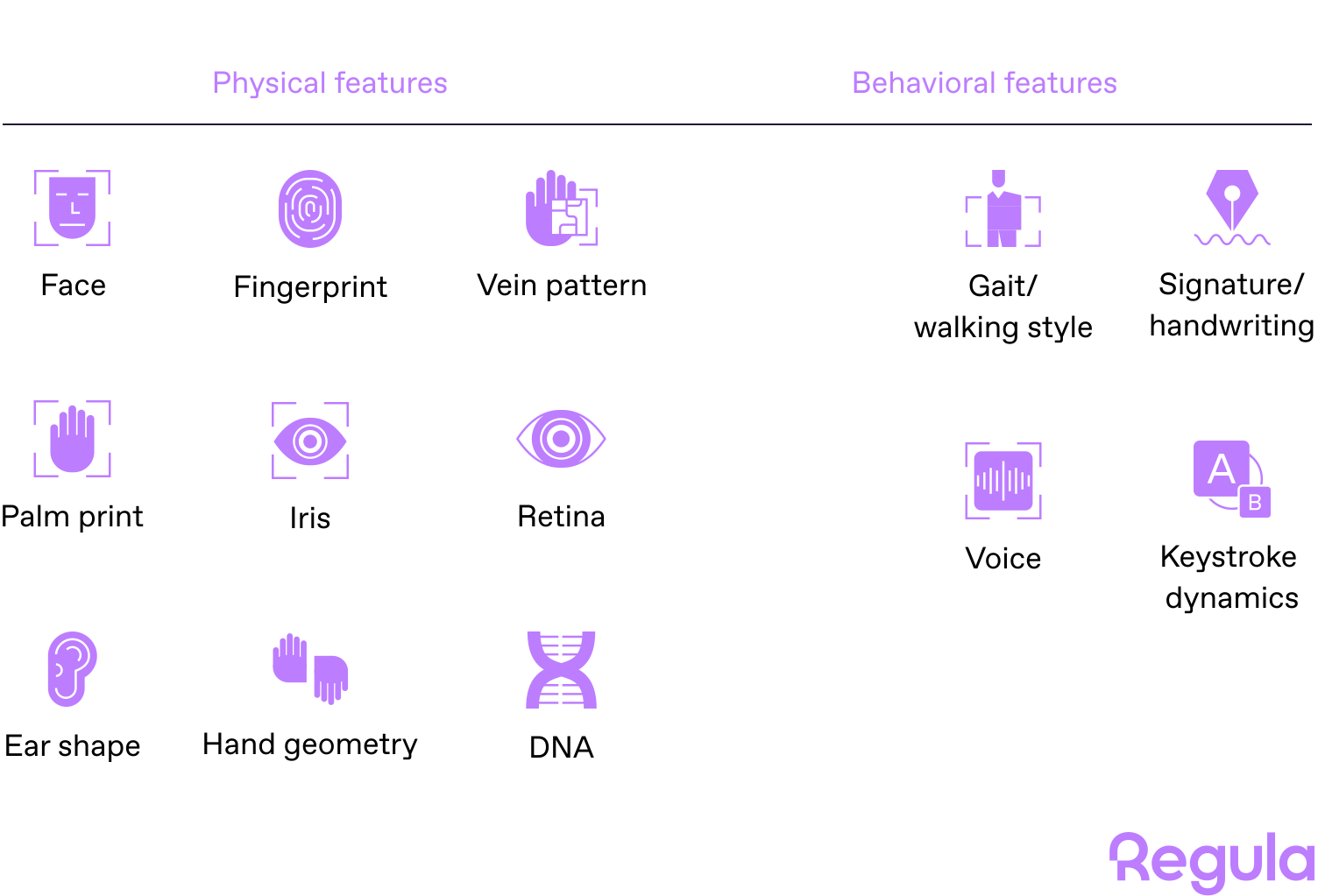
Many human characteristics can describe a person, but only some work as reliable biometric identifiers. As a rule, biometric traits fall into two groups:
-
Physiological biometrics, or “what you are”: face, fingerprints, iris patterns, hand geometry, vein patterns, etc.
-
Behavioral biometrics, or “how you act”: voice, signature, typing rhythm, gait, etc.
At the same time, only a handful of these are widely used in identity verification systems. While a biometric method may be technically possible, it can be either too fragile, too expensive, or too hard to deploy at scale.
A useful biometric trait should be:
-
Distinctive enough to tell one person from another
-
Stable enough to remain usable over time (for example, hair color or style don’t qualify, as they change too easily)
-
Practical enough to capture in a real verification flow (iris scanning is an overkill for most common business scenarios)
In modern remote identity verification, facial biometrics combined with liveness detection has become the default approach due to its balance of usability and scalability.
Let’s have a closer look at the most popular biometric verification methods and their pros and cons.
How does facial biometric verification work?
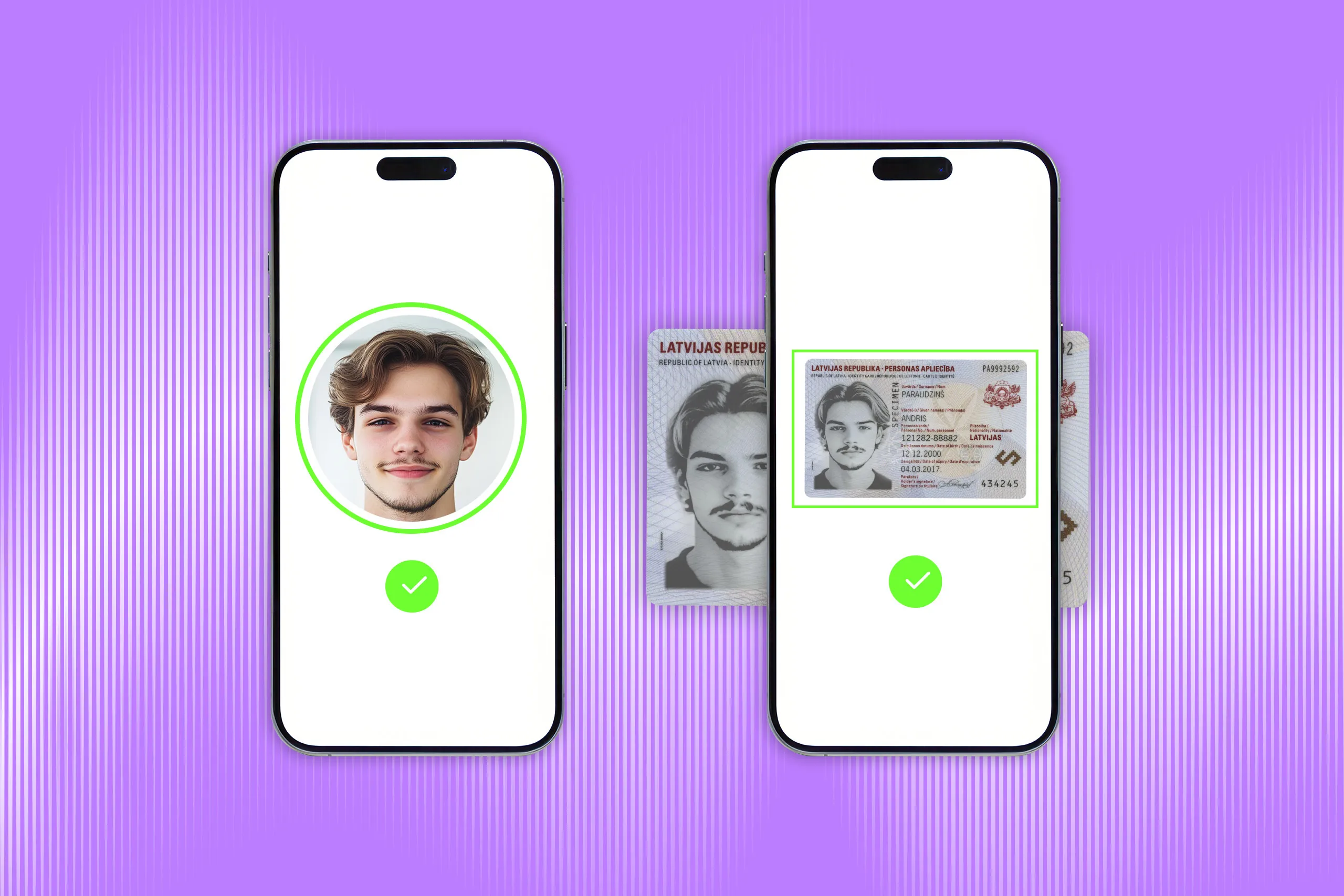
Facial verification confirms that a person is who they claim to be by comparing their face to a trusted reference image. For example, a user’s selfie can be matched against the portrait in their ID document or a photo already stored in the company’s system.
Face is widely used as a biometric trait because many facial features, such as the shape of the chin or the distance between the eyes, remain relatively stable throughout adulthood. According to Regula’s survey, 56% of companies in Banking, Telecoms, Aviation, and IT use facial verification for remote customer verification.

Behind the scenes, the system doesn’t “look at” photos the way a human does. It converts facial features into a digital descriptor — a user’s token containing all the details the system needs to identify and match a selfie with a particular individual. The descriptor doesn’t include any personal data, which makes facial verification a secure technology and more privacy-conscious than storing and manually reviewing raw images.
Common use cases: Facial verification is widely used in remote onboarding because it works with standard smartphone cameras. Banks, fintechs, telecoms, travel companies, and other digital services use it to verify users without requiring them to visit a branch or office. Facial biometrics is also increasingly used for physical access control.
Caveats: Face verification is more complex for children and older adults. Children’s faces can change quickly as they grow, which is one reason minors are often issued shorter-term IDs, sometimes valid for up to five years. In older adults, age-related facial changes can also affect matching accuracy over time, although many identity documents for adults remain valid for up to ten years.
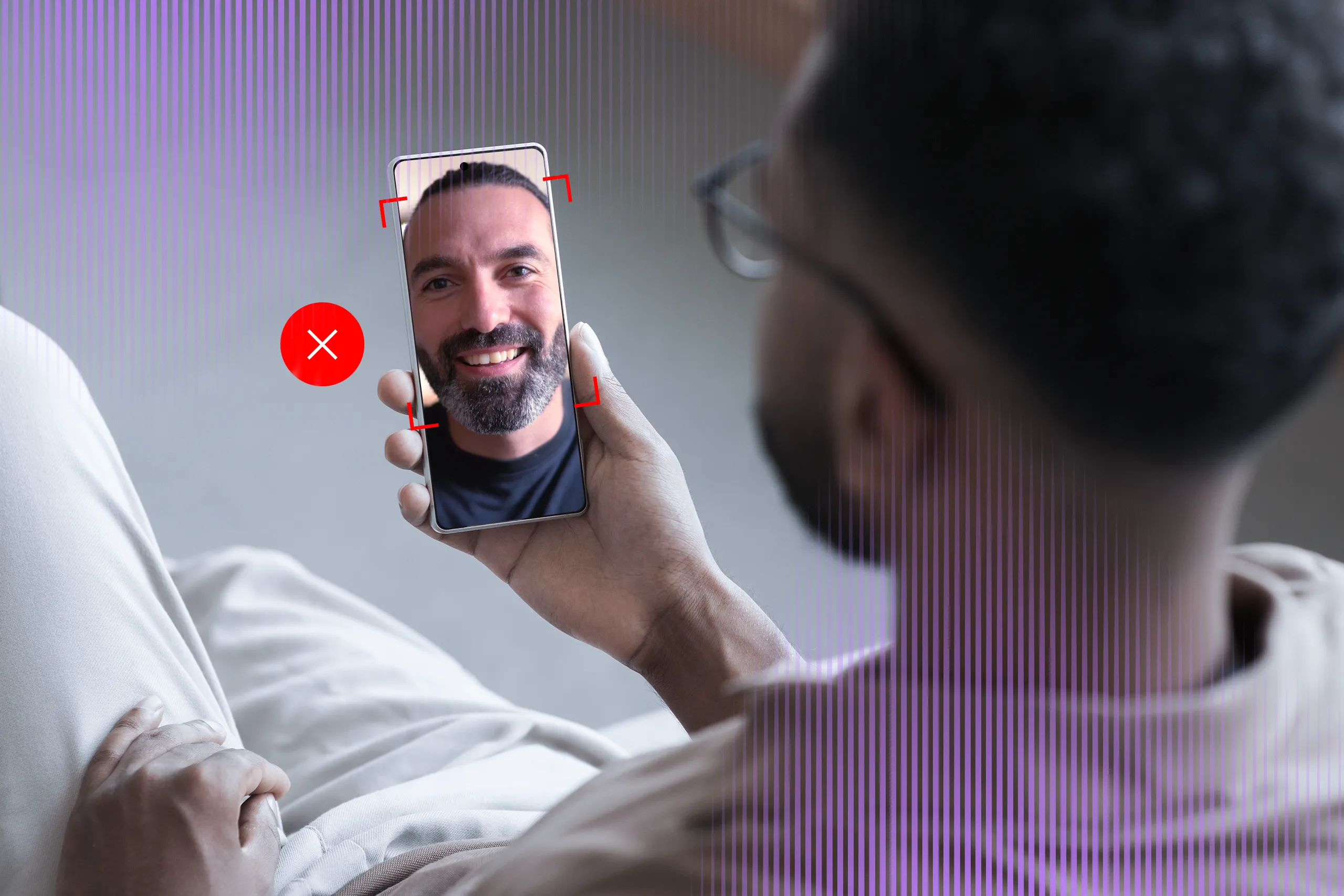
Also, face verification shouldn’t be treated as a standalone fraud shield. A matching face can still be presented through a printed photo or an AI-generated deepfake. That’s why higher-assurance workflows combine face matching with liveness detection, document verification, and risk signals such as device, IP, and geolocation data.
For deeper distinctions between face recognition, face verification, and face matching, explore our expert guide: Face Recognition vs. Face Verification in Identity Verification →
How does fingerprint biometric verification work?
Fingerprint verification confirms that a person is who they claim to be by comparing unique characteristics of fingerprints like ridges, whorls, and other patterns to a stored reference.
Fingerprints are widely used as a biometric trait because their patterns are highly distinctive and remain relatively stable throughout a person’s life. According to Regula’s research, 60% of businesses surveyed use fingerprint verification.
Fingerprint verification often works together with another identity asset, such as an ID document, as issuing passports and other secure IDs involves collecting and storing the document holder’s fingerprints in the government's database.
A good example is the Schengen visa process. Applicants provide fingerprints, which are stored in the Visa Information System (VIS). At the border, a new fingerprint sample is checked against the stored record. However, if the match fails, this doesn’t automatically block the traveler; it usually triggers additional checks to confirm identity.
Common use cases: Civil identity systems, such as border control, law enforcement, and voting, device authentication (e.g., smartphones, laptops), and physical access control.
Caveats: Fingerprint verification can be harder to scale as it usually requires a dedicated fingerprint scanner or a device with a fingerprint sensor. Capture quality can also be affected by worn ridges, manual labor, injuries, or aging.
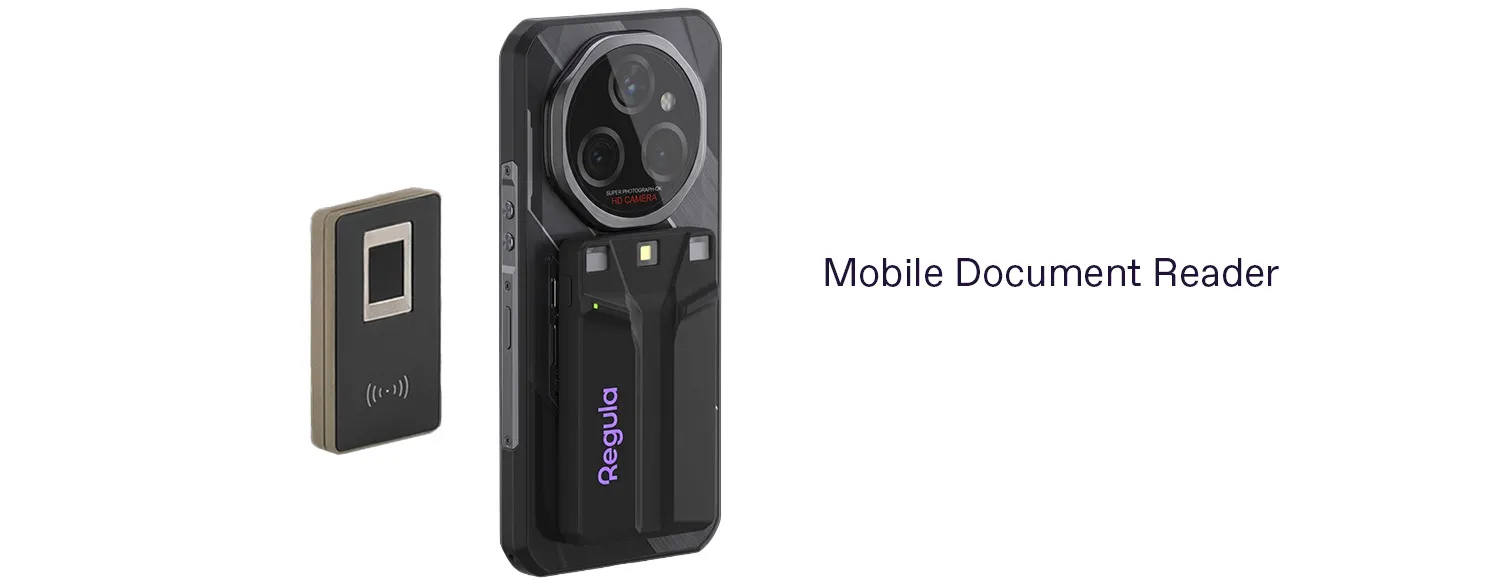
Regula 7320 — a mobile document reader with a module for fingerprint capture.
How does voice recognition work?
Voice verification confirms that a person is who they claim to be by comparing their voice to a stored voiceprint — a biometric template built from speech characteristics such as pitch, tone, cadence, and frequency patterns.
Voice recognition is rather an easy-to-implement technology which fits naturally into voice-based interactions where the user is already speaking. Depending on the recognition scenario the system follows, the user should say a particular phrase or password (text-dependent speaker verification) or speak freely (text-independent speaker verification) at the authentication stage.
Common use cases: Voice verification is used in call centers, mobile banking, account recovery, and step-up authentication for sensitive actions. It can reduce reliance on passwords, PINs, and security questions, especially in support flows where asking for typed credentials would add friction.
Caveats: Voice is one of the more vulnerable biometric traits today. According to the Regula research, 37% of the organizations have experienced deepfake voice fraud. That’s why voice verification should usually be treated as a supporting authentication factor, not the only proof of identity. In higher-risk flows, it should be combined with liveness checks, device intelligence, transaction monitoring, and other identity signals.

Wells Fargo offers turning their clients’ voices into their passwords.
How does iris recognition work?
An iris — the colored ring around the pupil — contains complex and highly distinctive patterns that remain stable throughout a person’s life. These patterns are captured using a specialized camera and converted into a biometric template for matching.
Iris recognition is considered one of the most accurate biometric methods, but it remains niche. Unlike facial verification, which can work with a standard smartphone camera, iris verification usually requires dedicated hardware, controlled lighting, and precise user positioning. That makes it useful in high-assurance environments, but impractical for most everyday remote onboarding flows.
Common use cases: Iris biometrics is typically used in border control, national ID programs, and secure access to restricted facilities. It is also deployed in some large-scale government identity systems.
Caveats: Iris verification is hardware-dependent and difficult to scale outside controlled environments.
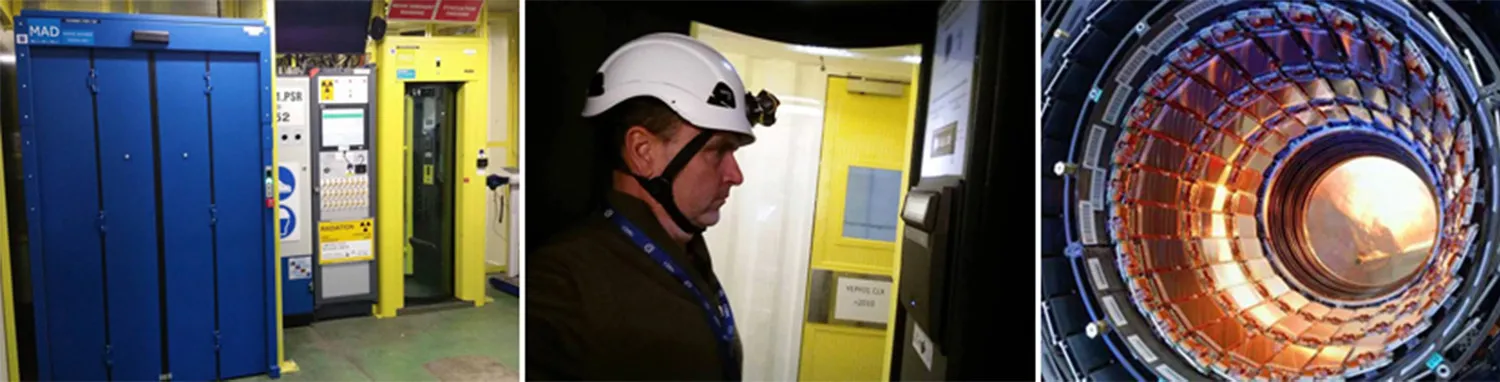
CERN uses iris recognition to control access to particle accelerator facilities. Image credit: Iris ID
What other biometric methods do exist?
Beyond face, fingerprint, voice, and iris, there are additional biometric methods. Most of these methods aren’t used as primary identity verification signals. Instead, they appear as:
-
Supporting signals (e.g., keystroke dynamics in fraud detection)
-
Environment-specific solutions (e.g., vein scanners in ATMs or secure labs)
-
Experimental or surveillance technologies (e.g., gait recognition)
These methods are typically limited by cost, hardware requirements, or lack of scalability, which makes them less relevant for mainstream identity verification.
Examples of less common biometrics:
| Method | How it works | Where it’s used | Why it’s niche |
|---|---|---|---|
| Vein pattern recognition | Scans vein structure under the skin (finger/palm) | ATMs, secure facilities | Requires specialized infrared sensors |
| Hand geometry | Measures shape and size of the hand | Physical access control | Lower accuracy than other biometrics |
| Signature verification | Analyzes handwriting dynamics | Banking, document workflows | Can vary significantly over time. See how it helps verify an individual by their handwriting → |
| Keystroke dynamics | Tracks typing rhythm and timing | Continuous authentication | Behavioral, less reliable as primary proof |
| Gait recognition | Identifies walking patterns | Surveillance, research | Requires cameras and controlled conditions |

Finger vein authentication at Bank of China (Hong Kong). Identity is verified using vein patterns beneath the skin, sometimes called a “living password.”
How does a biometric verification system work?
Although the setup may vary depending on the biometric type, most systems rely on the same core components:
-
Capture device: A smartphone camera, fingerprint scanner, iris scanner, microphone, or another sensor
-
Verification software: The engine that extracts biometric features and performs matching
-
Reference data: A database of biometric samples used for comparison
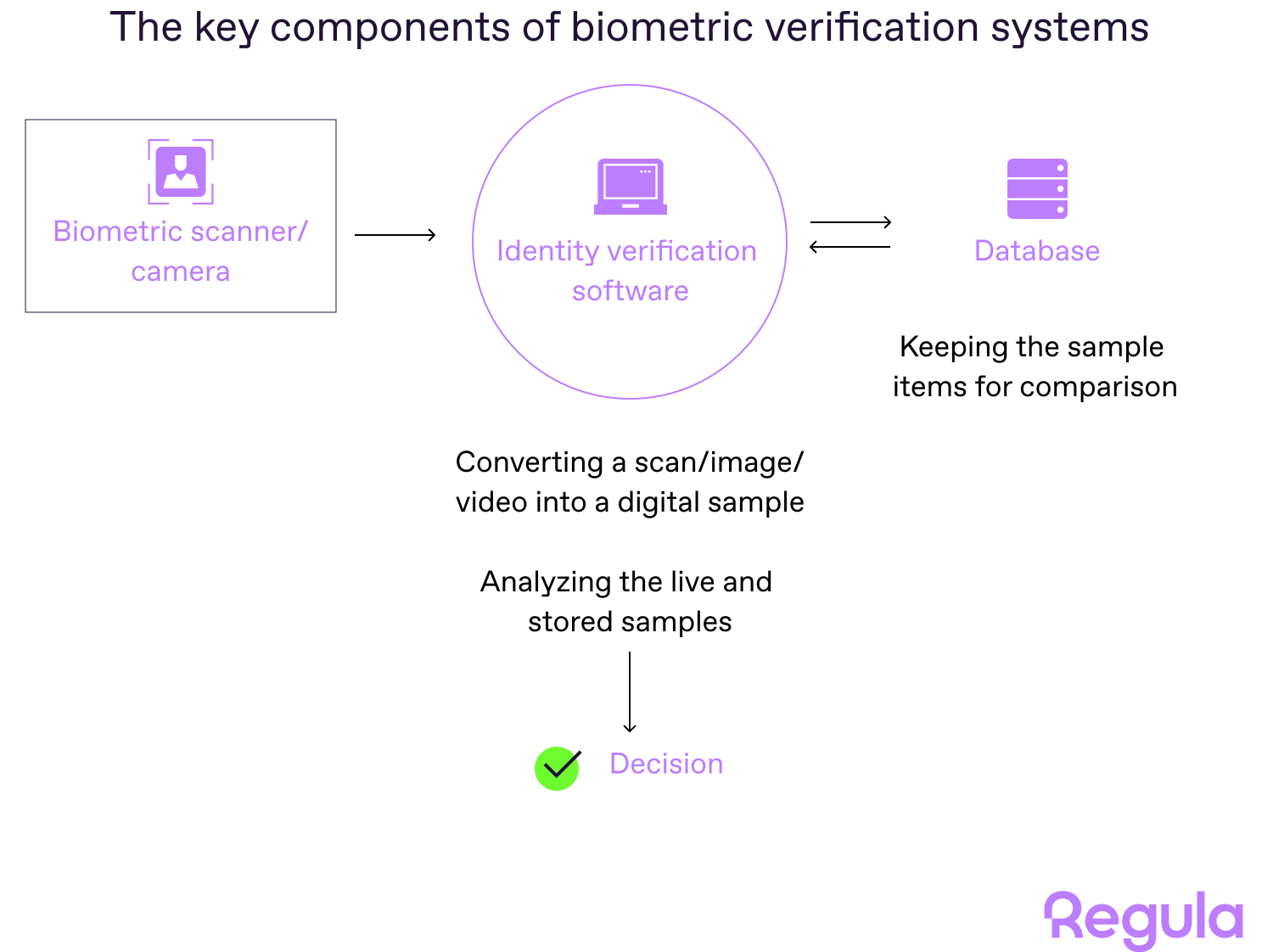
Identity verification software connects every step of the biometric flow: it captures the user’s sample, converts it into a compact descriptor, compares it with the trusted record, and returns a match result.
A typical biometric verification flow starts during enrollment, often as part of digital onboarding, when the user provides a biometric sample, such as a selfie. This sample may be collected alongside other identity data, such as a name, account profile, or ID document.
The system checks whether the sample is usable, extracts the relevant biometric features, and converts them into a compact digital descriptor for matching.
In many systems, the database doesn’t store raw photos or recordings; it stores lightweight descriptors that contain only the information needed for comparison, often just a few kilobytes in size. The system then compares the new descriptor with the trusted biometric record and returns a result: match, no match, or inconclusive.
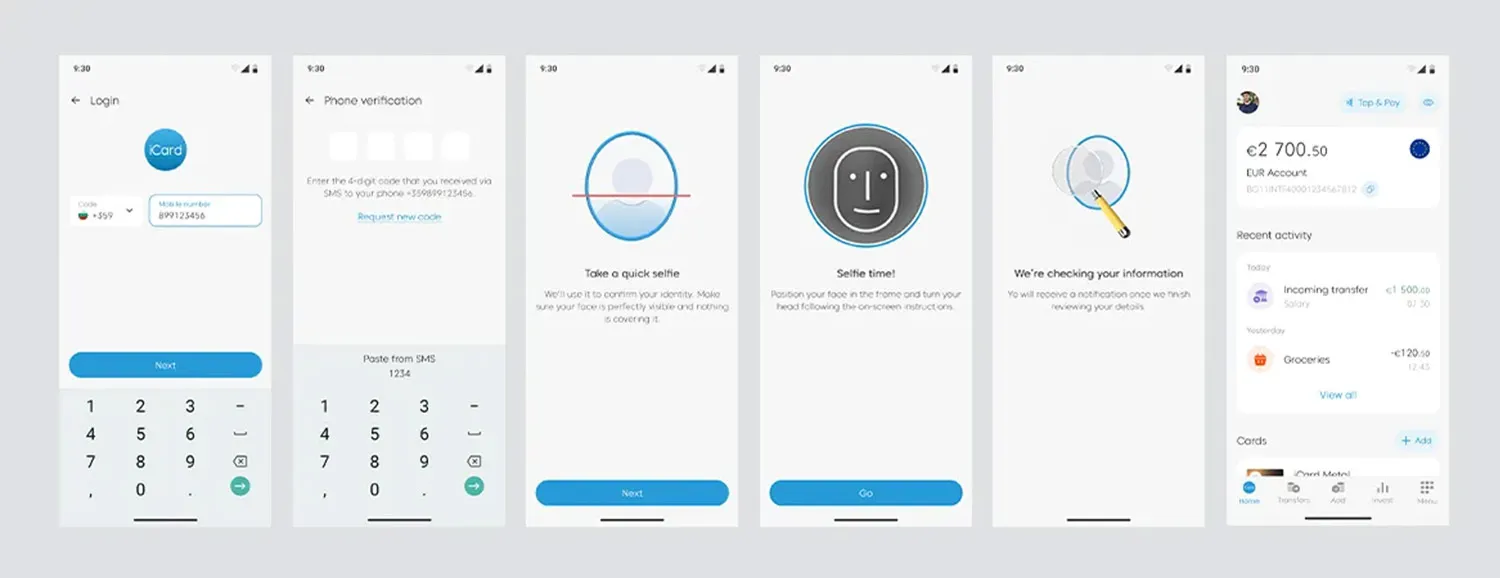
The actual biometric verification workflow process in iCard, a digital payment service.
This workflow isn’t built arbitrarily. Biometric authentication and identification systems are designed according to strict standards that govern the collection, storage, and sharing of data, as well as the performance metrics and accuracy assessment of the system.
The key regulators in this field include the International Committee for Information Technology Standards (INCITS), the National Institute of Standards and Technology (NIST), and the Joint Technical Committee (JTC).
Here are the major standards for the most commonly used types of biometrics:
-
ANSI/ NIST-ITL 1-2011/2015 — data format for exchanging fingerprint, facial, and other biometric information.
-
ISO/IEC 19794-5: 2005/2011 — data format for storing, recording, and transmitting facial images or short video streams.
-
ISO/IEC 19794-6: 2005/2011 — iris image interchange formats for biometric enrolment, verification and identification systems.
-
ISO/IEC 19794-4: 2005/2011 — interchange format for storing, recording, and transmitting finger and palm image data.
Where is biometric verification used?
Biometric verification is used wherever organizations need to confirm that a person is who they claim to be. The key difference across use cases is context: whether the check happens remotely or on-site, how much risk is involved, and how much friction the user can tolerate.
1. Creating a trusted user profile
During enrollment or digital onboarding, biometric verification helps confirm that the person presenting an identity document is the same person shown in that document.
A typical flow combines ID document verification, facial verification, liveness detection, device, IP, or geolocation signals where needed.
Examples include opening a bank account, registering a digital wallet, signing up for a telecom service, or creating an account in a regulated marketplace.
Government identity systems may also collect biometrics during enrollment to create trusted identity records for future checks. For instance, the Aadhaar ecosystem, employed by the issuing body of Indian ID cards, may include fingerprints and iris data, allowing ID holders to authenticate themselves when accessing public and private services later.
CASE STUDY
iCard, a European fintech company, wanted to automate and streamline the biometric verification and identification of its customers.
Before implementation, biometric checks were handled manually, which slowed verification, increased operational load, and created friction for customers. iCard also needed a fast way to re-verify users when its risk system detected suspicious behavior, such as login from a new device.
With Regula, iCard added facial verification with liveness checks for app login and security-sensitive actions. It also automated document verification for ID cards, passports, and residence permits.
As a result, client authentication now takes less than one minute. It reduced operational costs, as manual identity checks have been minimized. iCard has also seen a boost in customer satisfaction, as verification delays are minimized.
2. Returning to an existing account
After onboarding, biometrics can help confirm that the returning user is the rightful account holder.
Examples include logging into a banking app, recovering an account, confirming a payment, or accessing a digital government service.
In fintech and banking, this often works as step-up authentication. The user may pass a simple login first, but if they initiate a sensitive action, such as password reset or login from a new device, the system asks for biometric verification.
A similar approach is used in online gambling and iGaming. Platforms may require biometric checks at login or during a session to confirm the user’s age or identity. This helps enforce age verification requirements and prevent account sharing or misuse.
3. Re-checking identity when risk changes
Biometric verification is also used when a system detects suspicious behavior.
Examples include login from a new device, an unusual transaction, a password reset attempt, or changes to sensitive account details.
4. Crossing a controlled checkpoint
Biometrics are used when a person needs to pass through a controlled checkpoint where identity must be confirmed quickly and reliably.
Examples include airport e-gates, border control, workplace access, laboratories, data centers, and secure government facilities. Self-check-in kiosks at airports, as well as airline mobile apps with face recognition modules — for example, the ones provided by WizzAir and airasia — allow passengers to enroll, enter the gate, and board quickly.
5. Detecting duplicates or repeat fraud
In some systems, biometrics are used to check whether the same person appears under multiple identities or accounts.
This is where biometric identification may enter the picture, because the system may compare one biometric sample against many records. Examples include duplicate account detection, watchlist screening, and identifying coordinated fraud where the same person appears under multiple identities.
💡This matters because document and data checks can look valid in isolation. A fraudster can use different names, documents, emails, or phone numbers, while reusing the same face across attempts.
That’s what happened in the ABN AMRO bank case analysis: according to prosecutors, a suspect opened nearly 50 bank accounts by combining stolen identity documents with manipulated selfies that were altered just enough to pass facial checks.
What are the risks and limitations of biometric verification?
Biometric verification can make identity checks faster and harder to fake, but it’s not foolproof. Like any identity signal, it can fail when the input is poor, the system is badly configured, or fraudsters attack the workflow around it.
| Risk/ limitation | What can go wrong | What helps |
|---|---|---|
| Spoofing and presentation attacks | Fraudsters may use printed photos, replayed videos, masks, synthetic faces, AI-generated voices, or injected media streams. | Liveness detection, injection attack detection, document verification, device and session risk checks. |
| False positives and false negatives | The system may accept the wrong person or reject a legitimate user. This creates either fraud risk or customer friction. | Proper threshold tuning, quality checks, fallback flows, and manual review for edge cases. |
| Poor capture quality | Bad lighting, blur, glare, background noise, worn fingerprints, injuries, or weak sensors can reduce matching accuracy. | Capture guidance, image and audio quality checks, retry logic, and device-aware flow design. |
| Privacy and storage risks | Biometric data cannot be reset like a password. If compromised, the risk is harder to contain. | Compact biometric descriptors, encryption, access controls, audit trails, and clear consent flows. |
| Bias and accessibility issues | Performance may vary by age, skin tone, disability, accent, device, or capture environment. Some users may not be able to complete a biometric check. | Tested algorithms, inclusive UX, alternative verification methods, and human review when needed. |
| Overreliance on one biometric signal | A biometric match can confirm similarity, but not prove that the document is genuine or that the identity has not been stolen. | Layered identity verification: biometrics, document checks, liveness, device/IP/geolocation signals, risk scoring, and orchestration. |
Building biometric verification into a complete identity verification workflow
Biometric verification can make identity checks faster, easier for users, and harder to fake than password-only flows. It helps reduce manual review, support remote onboarding, add step-up authentication, and let users prove their identity without visiting a branch.
It can also improve accessibility in digital flows. Facial verification, for example, works with a standard smartphone camera, so users do not need special hardware.
Still, biometrics should not carry the whole identity decision. A face match, fingerprint match, or voice match does not prove that the ID document is genuine, the account is legitimate, or the session is safe.
That is why stronger identity verification workflows combine biometric checks with document verification, liveness detection, device and session signals, risk scoring, and fallback logic.
Regula helps businesses build this layered setup in one workflow. Teams can combine biometric verification with ID document reading, authenticity checks, NFC verification, and overall identity orchestration rules — so they can verify the person, validate the document, assess session risk, and route suspicious cases for review without stitching together disconnected tools.
Need biometric verification that works beyond the match score? Talk to the Regula team ↓