
In brief: Choosing a face recognition SDK starts with the verification process around it. The biometric task, capture channel, deployment model, and attack exposure determine what the SDK needs to do, so matching and liveness claims need to refer to the exact build and platform under consideration. A proof of concept with typical devices, inputs, and attack cases then shows whether those results hold in production.
Face recognition SDKs handle face matching and, depending on the product, liveness checks within an identity verification flow. On paper, many of them look much the same: accurate matching, strong liveness, fast performance, easy integration.
The differences show up in production when, for instance, manipulated media reaches a trusted backend through an untrusted client. That’s why the evaluation needs to go deeper than the feature list and trace what happens to biometric media during capture, transmission, and processing, and how those stages affect the final decision.
This guide is for CTOs, mobile leads, and identity verification product managers who need to determine which SDK can deliver the required matching accuracy, attack resistance, performance, and integration support.
Subscribe to receive a bi-weekly blog digest from Regula
Why choosing a face recognition SDK has become harder
Face recognition SDKs now have to deal with a broader range of attacks than they did a few years ago. Generative AI has made convincing synthetic faces and videos much easier to produce at scale, lowering the cost and effort required to create fake biometric evidence.
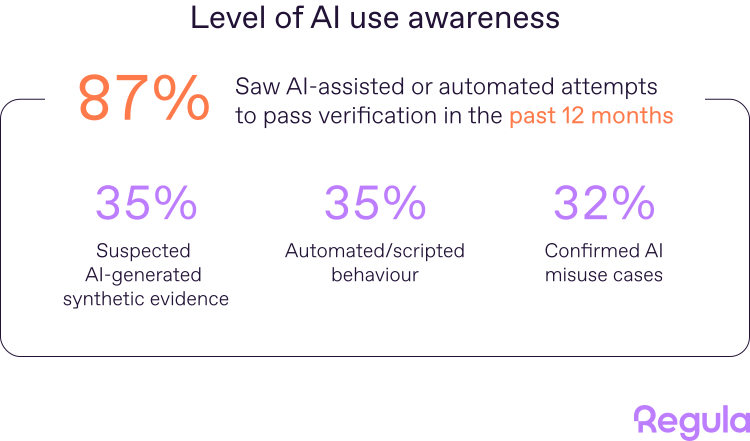
In Regula’s 2026 study, 87% of organizations reported AI-assisted or automated attempts to pass identity processes in the previous 12 months, while 35% ranked deepfakes among their major identity threats.
At the same time, older presentation attacks haven’t disappeared. Printed photos, replayed videos, masks, and images displayed on another screen are still part of the threat landscape. Improvements in display and capture technology can also make presentation attacks more convincing.
That’s why, before choosing a specific product, make sure to define what your system needs to do. Specify the image sources, whether you need 1:1 face matching or 1:N face identification (or both), the liveness method, relevant attacks, supported channels, and rules for biometric data.
Then assess each SDK in two stages. First, confirm that it provides the required functions and deployment options. Next, examine the evidence for its performance: independent results for the exact product version and platform, followed by a proof of concept based on typical use, where feasible.
1. Can the face recognition SDK detect presentation attacks?
Presentation attacks try to fool a face recognition system at the point of capture. Common examples include printed photos, screen replays, and masks used to imitate another person.
Presentation attack detection (PAD) helps the SDK distinguish these attacks from genuine capture.

At Regula's lab, we are always testing new ways in which presentation attack detection systems can be tricked.
One of the best-known references is ISO/IEC 30107-3:2023, which defines principles and methods for assessing PAD performance and reporting test results. However, universal PAD levels and product certification still fall outside its scope.
PAD test results typically report two key error rates: APCER, which shows how often presentation attacks are incorrectly accepted, and BPCER, which shows how often genuine users are incorrectly rejected as attacks.
Both matter: a low APCER indicates stronger attack detection, while a high BPCER can translate into more friction for legitimate users.
However, when reviewing the evidence, check the following:
-
the exact SDK and product version tested
-
the platforms, operating systems, interfaces, and capture configuration included
-
the test method, lab-defined level, and scope, including the presentation attack instruments covered
-
the number and composition of presentation attacks used to calculate APCER, and of bona fide presentations used to calculate BPCER
-
the test date and whether the tested build still matches the product
Labs such as iBeta use the ISO/IEC 30107-3:2023 standard within their own test programs, where each level describes the attack effort covered by the test. For example, Regula Face SDK is compliant with PAD Level 2 on both iOS and Android, with each platform test reporting 0% APCER across 750 presentation attacks from five attack-instrument species.
2. Can the face recognition SDK resist injection attacks?
Unlike presentation attacks, injection attacks bypass or tamper with the trusted capture path by feeding manipulated biometric data directly into the application or processing pipeline. Attackers may use virtual cameras or emulators, compromise rooted or jailbroken devices, or tamper with the session between capture and processing.
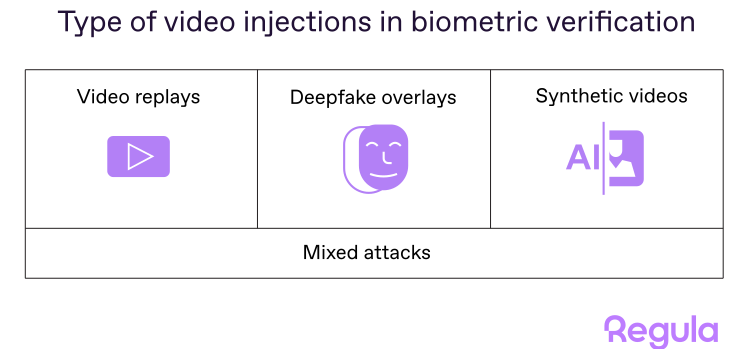
Strong PAD results do not, by themselves, demonstrate resistance to injection attacks. That is because presentation attacks happen at the biometric capture device, while injection attacks often replace media elsewhere in the pipeline. Independent laboratories can evaluate injection-attack detection under CEN/TS 18099:2024, though results apply only to the tested build, integration, attack methods, and conditions.
Overall, injection resistance depends on the solution, host application, device, and backend. Thus, review the following areas:
-
Source control: Blocking or identifying virtual cameras, emulators, hooked camera functions, and substituted media.
-
Freshness: Using prompts or controlled camera events, such as an illumination change, and verify that the returned frames respond as expected.
-
Session protection: Binding each capture to one user and one transaction; encrypting the media during the transaction using unique, session-specific cryptographic keys.
-
Connection authentication: Verify the client-server connection through certificate pinning or mutual TLS when the risk level calls for it.
-
Server checks: Analyzing submitted media and calculating the liveness result outside the client in the secure backend.
-
Client integrity: Checking for rooted or jailbroken devices, modified applications, and runtime tampering.
-
Evidence: Asking which build and integration were tested, against which injection methods, and under what conditions.
Note that each control has a boundary. Encryption protects media after it reaches the encrypted channel, but it cannot prove that the camera supplied genuine content. Likewise, a randomized challenge can stop a simple replay, though a responsive synthetic feed may still complete it.
The SDK will rarely supply every control on its own. Ask vendors which protections belong to the SDK, which must be implemented by your application or backend, and which claims have independent test support.
3. Does the liveness method fit the verification process?
Liveness checks can be active or passive.
In an active flow, the user is asked to perform an action, such as turning their head, blinking, or following an on-screen prompt.
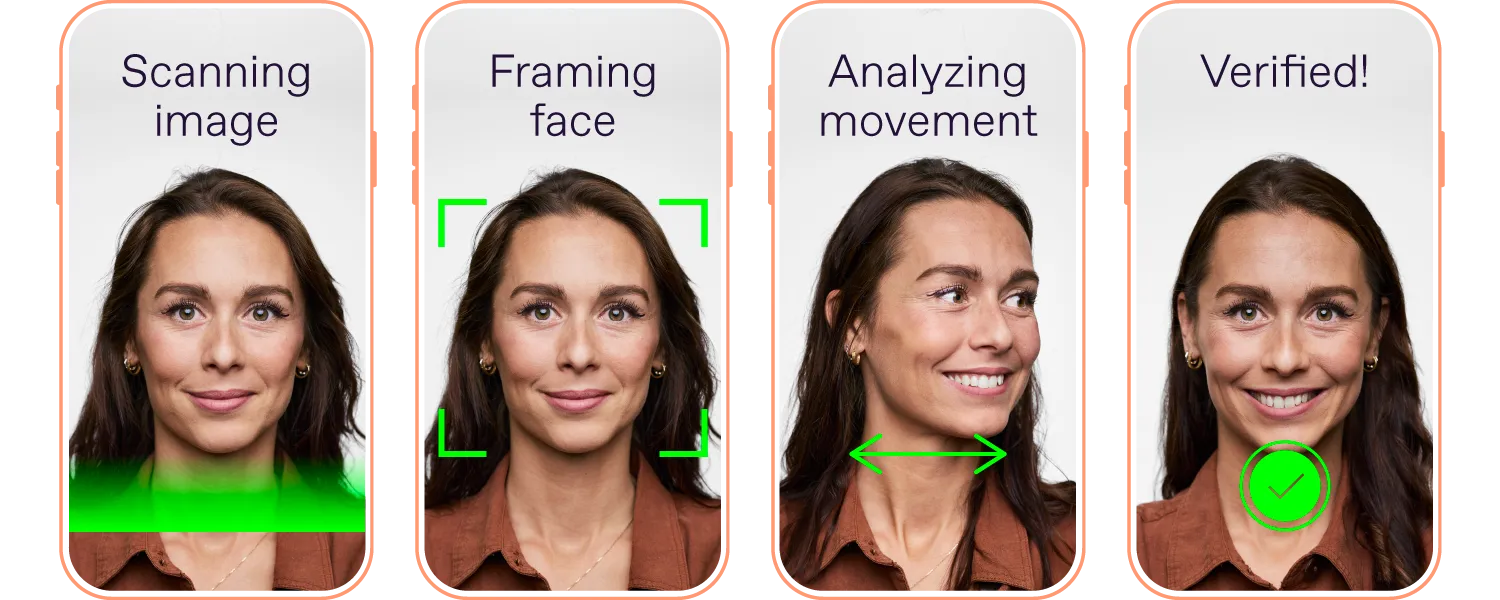
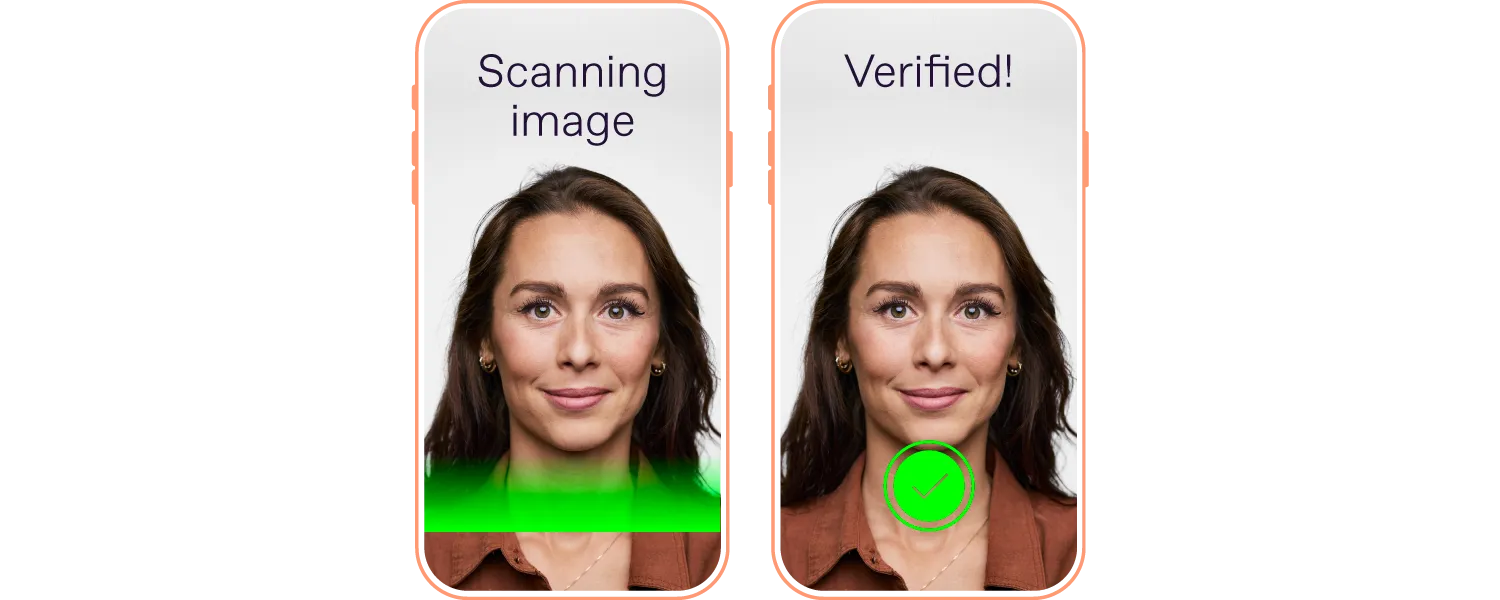
Passive liveness works in the background, without asking the user to do anything beyond looking at the camera.
The recommendation is to look beyond whether the vendor offers active or passive liveness, however. Find out:
-
which attack types each mode is designed to detect
-
whether both modes have independent PAD testing
-
how much user interaction is required
-
how often genuine users need to retry
-
whether the flow works across the devices and environments you support
-
whether you can choose or switch modes depending on the risk level or use case
-
whether users who cannot perform the requested movement or follow a visual prompt have an accessible alternative
It’s worth noting that, while a passive check may suit high-volume onboarding, a higher-risk transaction may warrant an active liveness prompt. That’s why the final choice should reflect the risk model, completion data, and user population.
4. How accurate is face matching for your use case?
In identity verification, face recognition can work in different matching modes:
-
1:1 verification
-
1:N identification (also known as face search)
These matching modes solve different problems. 1:1 verifies whether the person matches a claimed identity or another portrait. 1:N helps check whether the same face already exists elsewhere in your system or watchlist.
Accuracy needs to be measured differently for the two matching modes.
For 1:1 verification, check the false match rate (FMR) and false non-match rate (FNMR) at your intended threshold. FMR shows how often the SDK matches two different people; FNMR shows how often it fails to match two images of the same person.
For 1:N identification, check the false positive identification rate (FPIR) and false negative identification rate (FNIR). The results should state the threshold and gallery size, since both affect accuracy. If the system returns a candidate list, also check how often the correct person reaches the required rank.
5. How is the face recognition SDK deployed, and where is biometric data processed?
First, separate capture from biometric processing. The user’s device handles capture and the immediate quality checks needed to correct framing, lighting, or image position before submission.
Then determine where liveness analysis, face matching, biometric-template storage, and the final decision take place; these stages may run on the device, on the server, or through a combination of both. Each option will have its own strengths and weaknesses.
For example, on-device processing (e.g., via smartphone) can reduce latency and data transfer, and can support offline uses, which are valuable benefits. However, in remote verification, the phone is controlled by the user; so they can modify captured media, application logic, or the reported result. Following a zero-trust-to-mobile principle, a high-risk liveness decision should never rely solely on a client-processed result.
Server-side processing, on the other hand, keeps the detection model and decision logic outside the client. But it does not remove injection risk. Fake media may still be inserted before upload. Server processing therefore needs source control, session binding, protected transmission, and analysis of the submitted media.
Second, before selecting a deployment model, confirm:
-
where images, video, templates, and logs are processed and stored
-
whether the vendor receives any biometric data or telemetry
-
how data is encrypted in transit and at rest
-
how access, deletion, retention, and backup are handled
-
whether data residency requirements can be met
-
what happens when the vendor service or network is unavailable
-
which biometric privacy rules apply in each market, including the GDPR requirements for special-category biometric data
-
whether the planned use counts as biometric verification or remote biometric identification under the EU AI Act
CASE STUDY: Regula powers the largest bank in Switzerland
Regula Face SDK uses mobile and web components to capture media, while its Web Service performs processing on Windows or Linux in the backend. For liveness sessions, the backend can retain the result, selfie, and session video according to its storage configuration.
UBS has used this setup in its mobile account-opening process: customers capture a biometric passport and selfie on their phone, and Regula’s server-side components authenticate the passport chip, calculate liveness, and compare the face images.
UBS reports that the full procedure takes under five minutes.
6. How does the face recognition SDK help users capture a suitable face image?
Most users do not know the requirements for a biometric face photo, so they may end up holding the phone too close or standing in uneven lighting. A well-designed SDK should detect such problems during capture, explain how to correct them, and submit an image only when it is suitable for matching.
For example, Regula Face SDK assesses characteristics such as blur, glare, occlusion, head pose, lighting, and face size. Its capture module can guide the user when it detects a problem and select the best available frame.
Inspect the capture behavior in detail:
-
which image characteristics it assesses
-
whether it provides specific guidance during capture
-
whether it captures or selects a suitable frame automatically
-
whether it returns individual results, scores, or reason codes
-
which problems preprocessing can mitigate and which require another capture
-
whether quality thresholds can be configured for different uses
-
whether checks run during capture, after capture on the device, or on the server
Buyers can also check which image-quality requirements the SDK supports, using ISO/IEC 29794-5:2025 and ICAO portrait specifications as reference points.
7. Does the face recognition SDK work on your users’ devices?
Start with platform coverage. Some face recognition SDKs are built primarily for mobile apps and offer a more limited feature set for browser or desktop flows. If users can verify their identity from both a phone and a computer, check whether face capture, matching, liveness, and other security checks are available across all the channels you need.
Compatibility claims also need device-level testing. Camera behavior, processing power, memory, operating-system versions, browser capture APIs, and available security features vary widely. Build a test set from the devices and channels your customers use, including older and lower-cost phones.
This becomes especially important in markets where inexpensive Android devices carry much of the traffic. A representative device matrix will expose weak-camera failures and missing hardware checks that a few current flagships may never reveal.
Check:
-
which mobile, browser, and desktop environments it supports
-
whether the same core capabilities are available across those environments
-
how it behaves on lower-end hardware and weaker cameras
-
SDK size, CPU, and memory requirements
-
whether any checks depend on hardware features that are missing from cheaper devices
Optional: How accurate is the face recognition SDK’s age estimation?
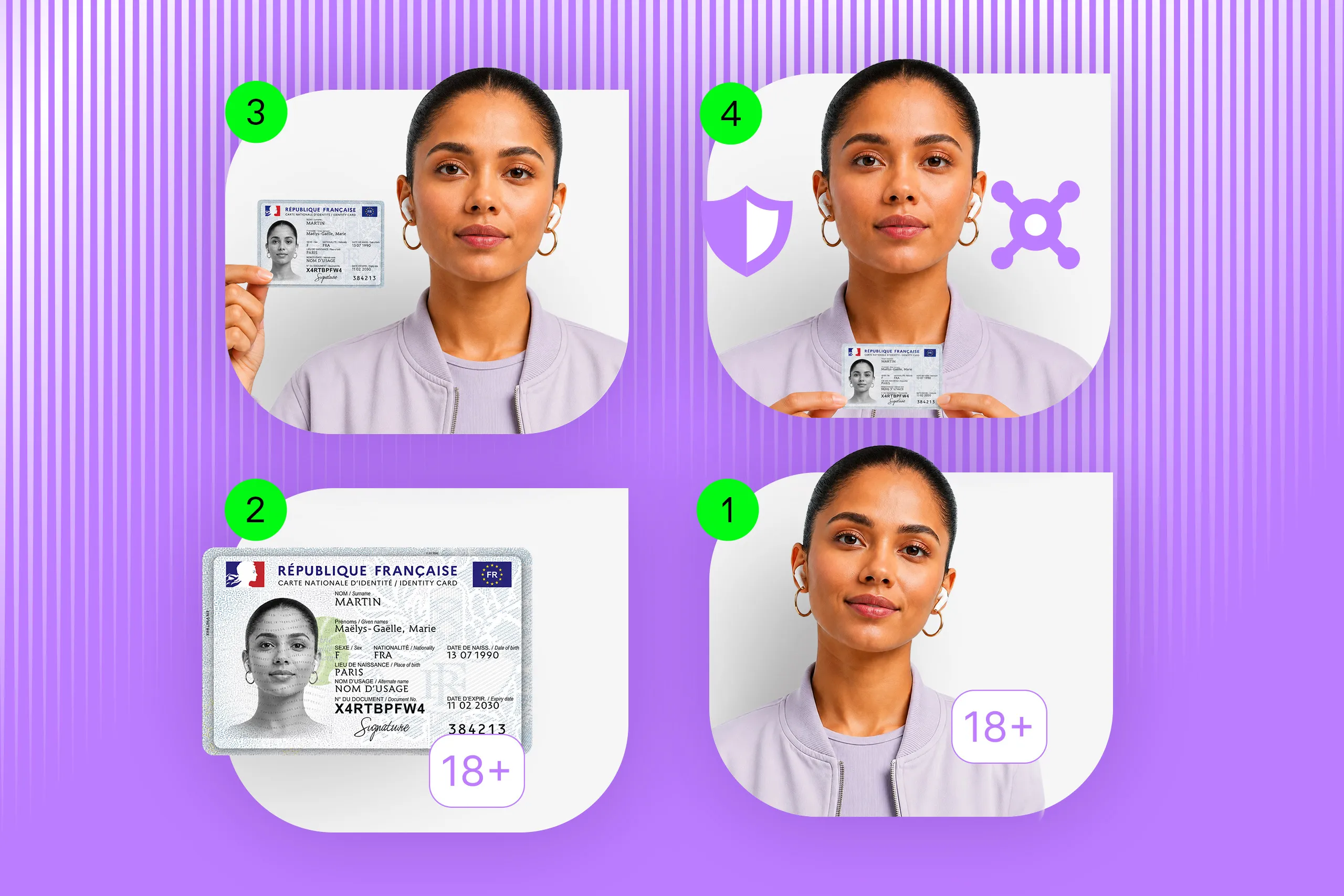
What needs to be understood is that facial age estimation is probabilistic. It only estimates an age or age band from an image, and does not confirm identity or prove a date of birth.
That’s why a metric like mean absolute error is useful for comparing general accuracy, but it can conceal poor performance near a specific age threshold. So if you use Challenge 25, for example, you also need to know how often the SDK incorrectly clears someone who should receive another check — and how often it sends an eligible adult through unnecessary verification.
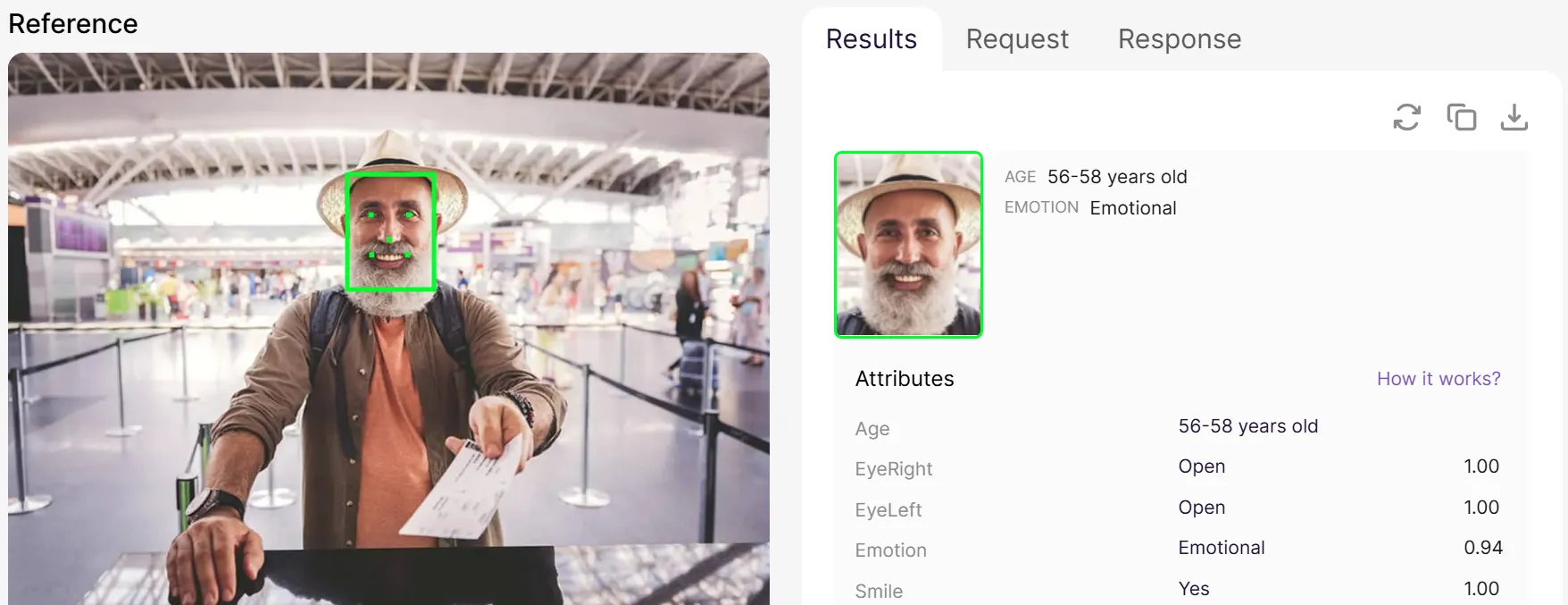
Age estimation in Regula Face SDK’s web demo.
When comparing SDKs, review:
-
accuracy near the age threshold used by your service
-
false-positive and false-negative rates at that threshold
-
performance on the image types you expect to process
-
differences between age groups, sexes, and geographic populations
-
failure-to-process rates and the treatment of low-confidence estimates
-
whether confidence thresholds and safety margins can be configured
-
what fallback is available
You may also want to consult independent evaluations, such as NIST’s FATE Age Estimation and Verification program. As of August 2026, Regula ranks second for mean absolute error on application photos, third on visa photos, and sixth for Challenge 25 false-positive rates on both application and border datasets.
Regula can also combine facial age estimation and liveness in Face SDK with date-of-birth extraction and document checks in Document Reader SDK. A service may use either method or combine them according to its legal, privacy, and risk requirements.
How should you test a face recognition SDK before buying it?
Once you have a shortlist, test the SDK in the conditions it will actually face in production. Use your typical devices, user journeys, data, and risk scenarios, and pay attention not only to accuracy, but also to retries, capture quality, liveness performance, and consistency across platforms.
If you’re planning a formal evaluation, we have a separate guide on how to test an identity verification solution before buying it with a more detailed framework.
And if Regula Face SDK is on your shortlist, we’ll be happy to help you put it through the same scrutiny. Tell us about your setup and requirements, and we can help you plan a meaningful test rather than a polished demo.