
In brief: UV fluorescence helps forensic experts detect counterfeit documents, altered personal data, substituted pages, and traces of chemical erasure. Forensic document examination commonly uses three UV wavelengths: 365 nm, 313 nm, and 254 nm, each revealing different security features. The document’s material also matters: for example, polycarbonate blocks short-wave UV radiation at 254 nm, affecting how fluorescent features appear under UV illumination.
Some counterfeit banknotes glow under ultraviolet (UV) light, too. The Central Bank of Türkiye describes a surprisingly simple attempt to imitate fluorescent security fibers: using highlighter pens. The marks are intended to mimic features that, in genuine banknotes, are incorporated into the paper during production.
For document examiners, interpreting this glow requires an understanding of how UV fluorescence works. The observed response depends on more than the fluorescent material itself: the excitation wavelength, the light source’s spectral characteristics, and the document’s materials can all influence what the examiner sees. Understanding these factors helps experts distinguish discrepancies in a document from differences caused by examination conditions.
In this article, we explain the principles of UV fluorescence and the practical nuances that matter when examining security features. We also explore how Regula’s UV light sources, filters, visualization modes, and reference images support forensic document examination.
What is UV fluorescence, and how is it used in ID documents and banknotes
UV fluorescence occurs when a fluorescent material absorbs ultraviolet radiation and emits light at a longer wavelength within the visible spectrum. This is the glow an examiner sees when a fluorescent security feature is illuminated with an appropriate UV light source. The emission stops almost immediately when the source is switched off.
.svg)
UV radiation is invisible to the human eye. The violet or blue glow associated with many UV lamps comes from visible light that the source emits alongside its UV output.
Document manufacturers use this effect in security inks, security fibers, security threads, planchettes, and stitching threads. Fluorescent inks can form patterns, text, or images, while fluorescent fibers can be incorporated into the paper. These features are invisible or inconspicuous under white light and become visible under UV illumination.
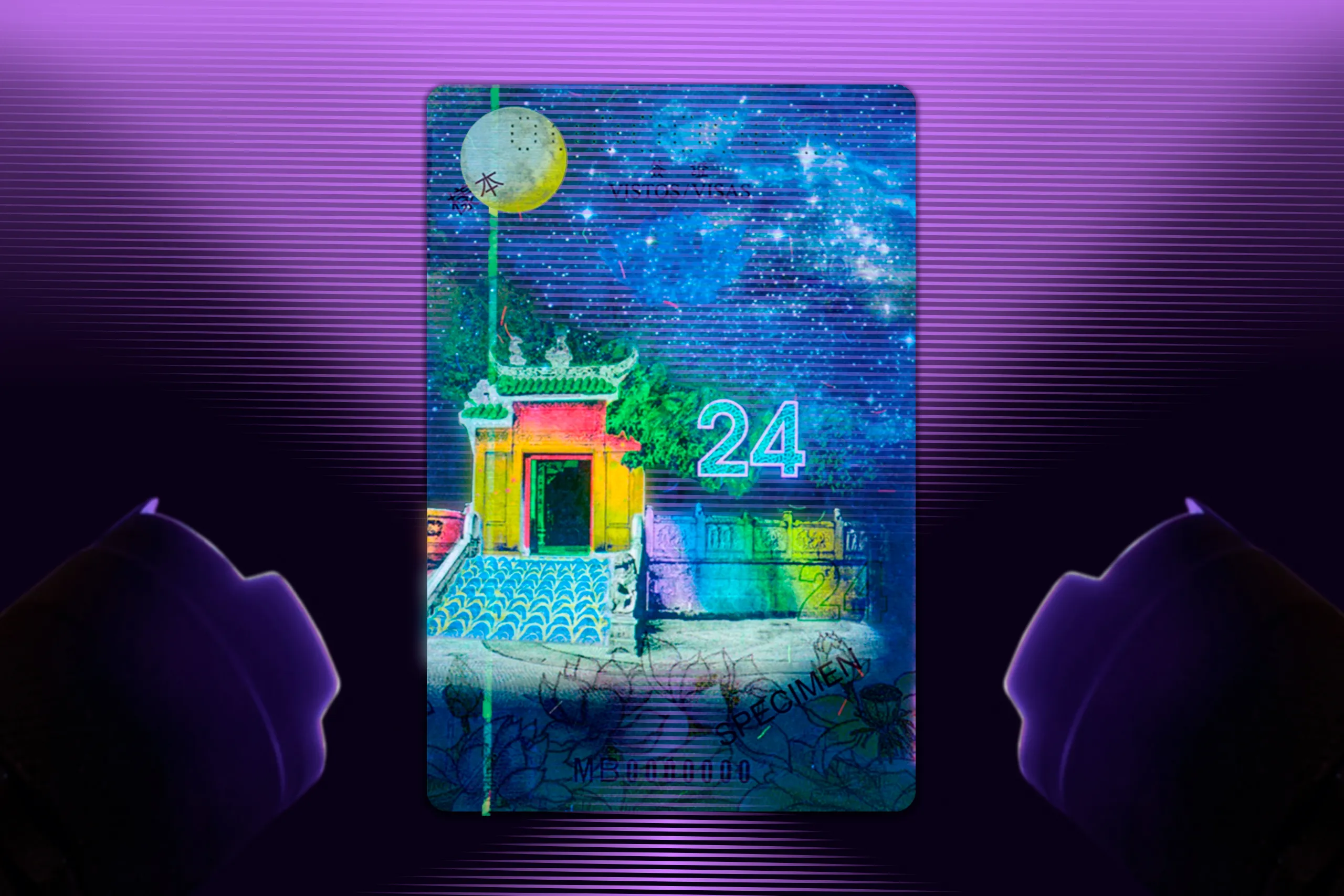
Different fluorescent inks can glow in different colors under the same UV light. Each ink’s chemical properties determine the color of the light it emits when excited. By using several inks in one design, manufacturers can create a security pattern that reveals multiple colors under a single UV source. Besides, smooth transitions between these colors create a rainbow effect, making the pattern harder to counterfeit.
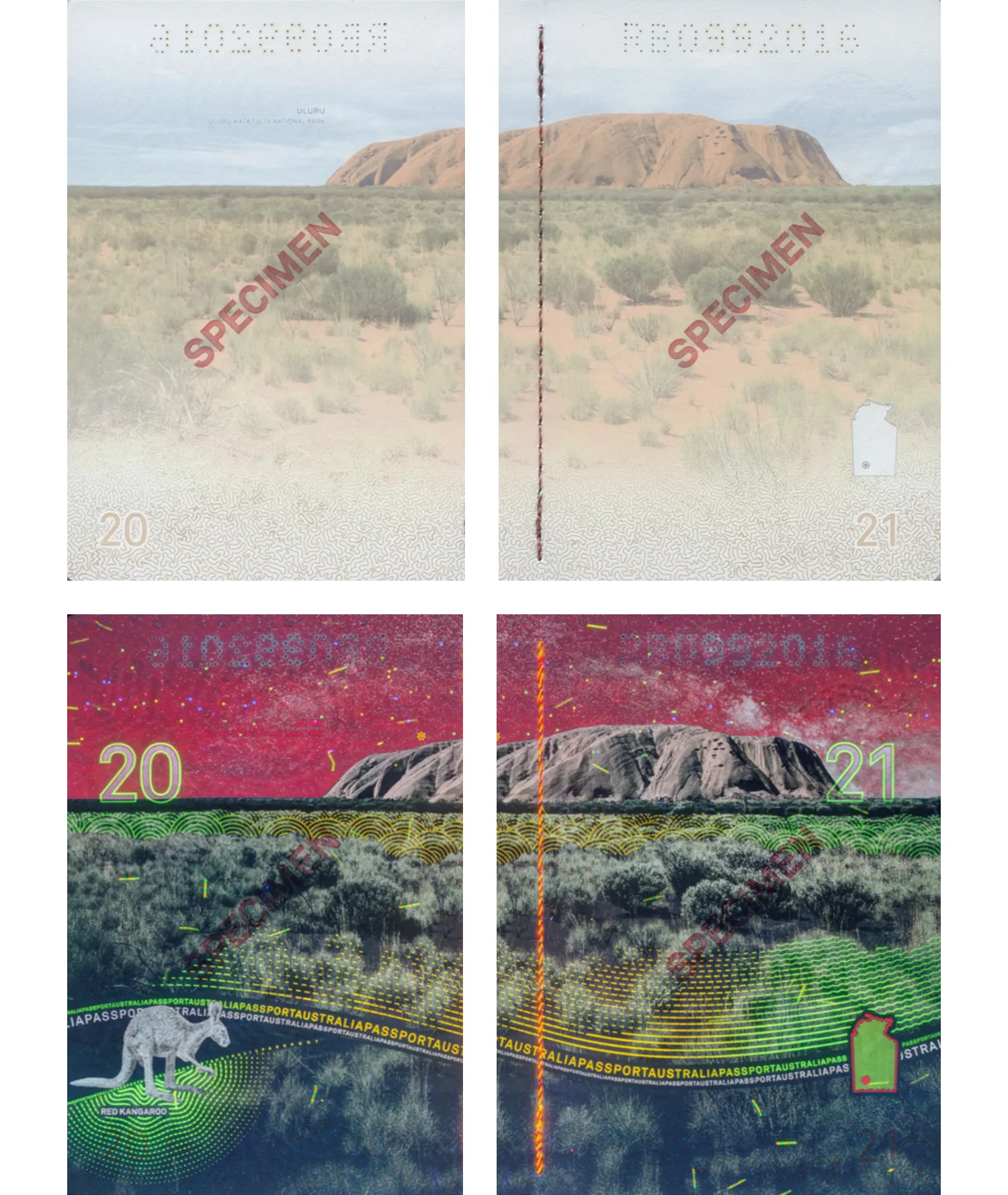
A page spread from an Australian passport shown under both incident white light and ultraviolet light. Here, we can see patterns, text, images, fibers, and a security stitching glowing under ultraviolet light.
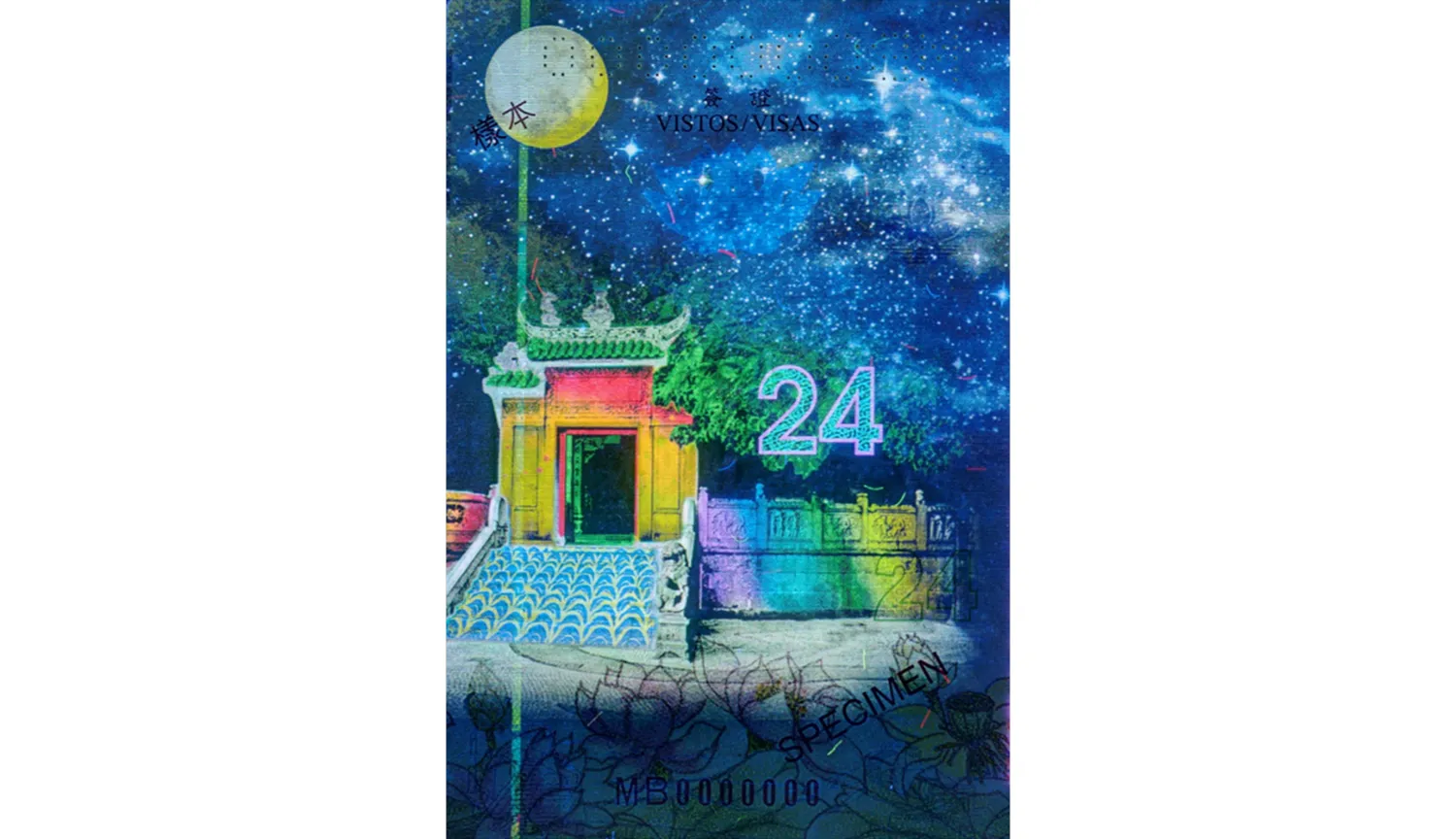
A page from a Macanese passport under ultraviolet light, displaying a rainbow effect.
Subscribe to receive a bi-weekly blog digest from Regula
Why one UV wavelength is not enough
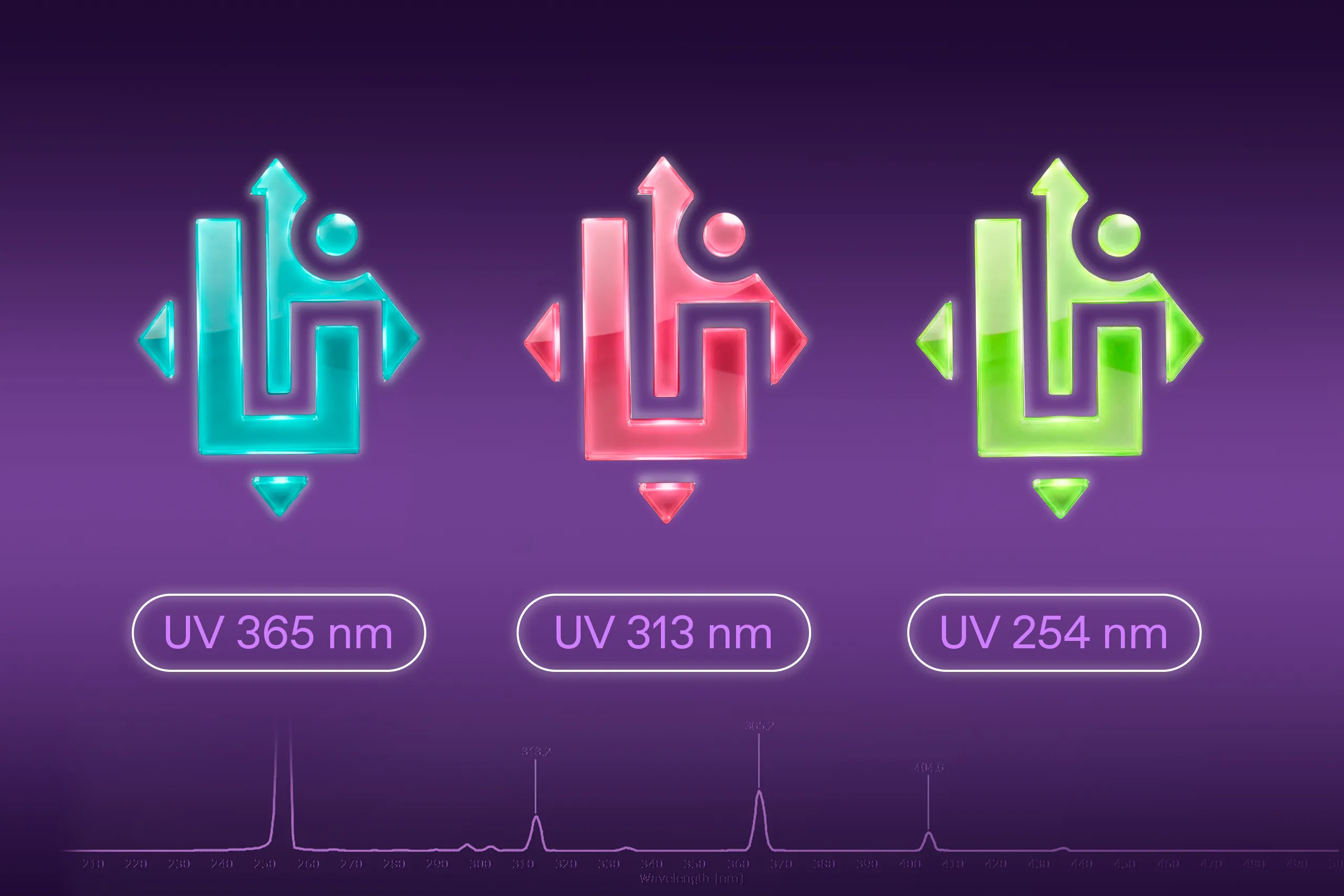
The colors revealed under UV light depend on both the fluorescent materials and the wavelength used to excite them. Document security features are commonly examined at three wavelengths or wavelength ranges:
-
UV-A: 365 nm, long-wave ultraviolet, the most wide-spread in document security
-
UV-B: 308–313 nm, medium-wave ultraviolet, used less frequently in document security.
-
UV-C: 254 nm, short-wave ultraviolet, frequently used in document security
A security element may glow under one wavelength and remain invisible under another. Some elements also change color depending on the excitation wavelength.
Examining a document at only one UV wavelength can therefore leave part of its security design unseen. To assess the relevant features, examiners need to know which wavelengths they are intended to respond to and compare their appearance with a reference captured under the corresponding illumination.

The data page of a Brazilian passport under UV light at 365 nm and 254 nm, showing a color change from green to orange.
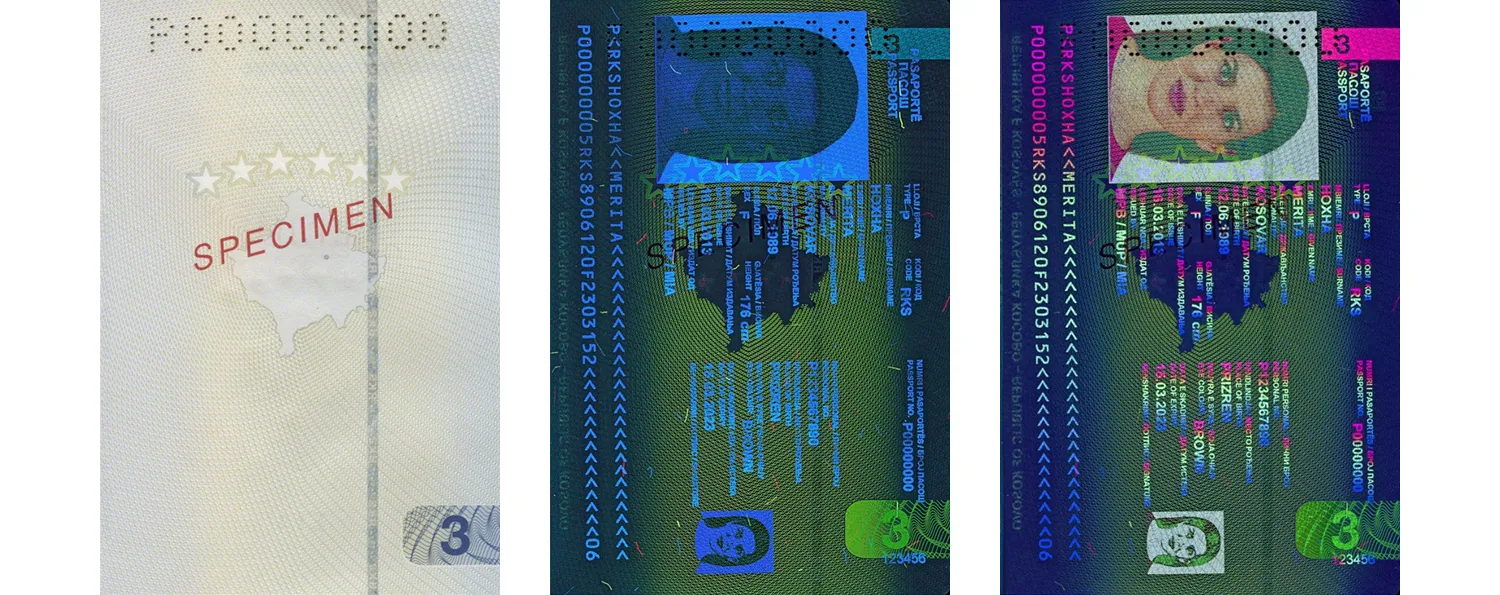
A page from a Kosovo passport under incident white light, UV light at 365 nm, and UV light at 254 nm.
How UV security features help reveal document forgeries
First of all, UV illumination helps examiners assess the authenticity of a document blank. Genuine security paper does not fluoresce under UV light, unlike ordinary office paper, which often glows brightly due to optical brighteners. This difference makes it easier to detect counterfeits printed on regular office paper.
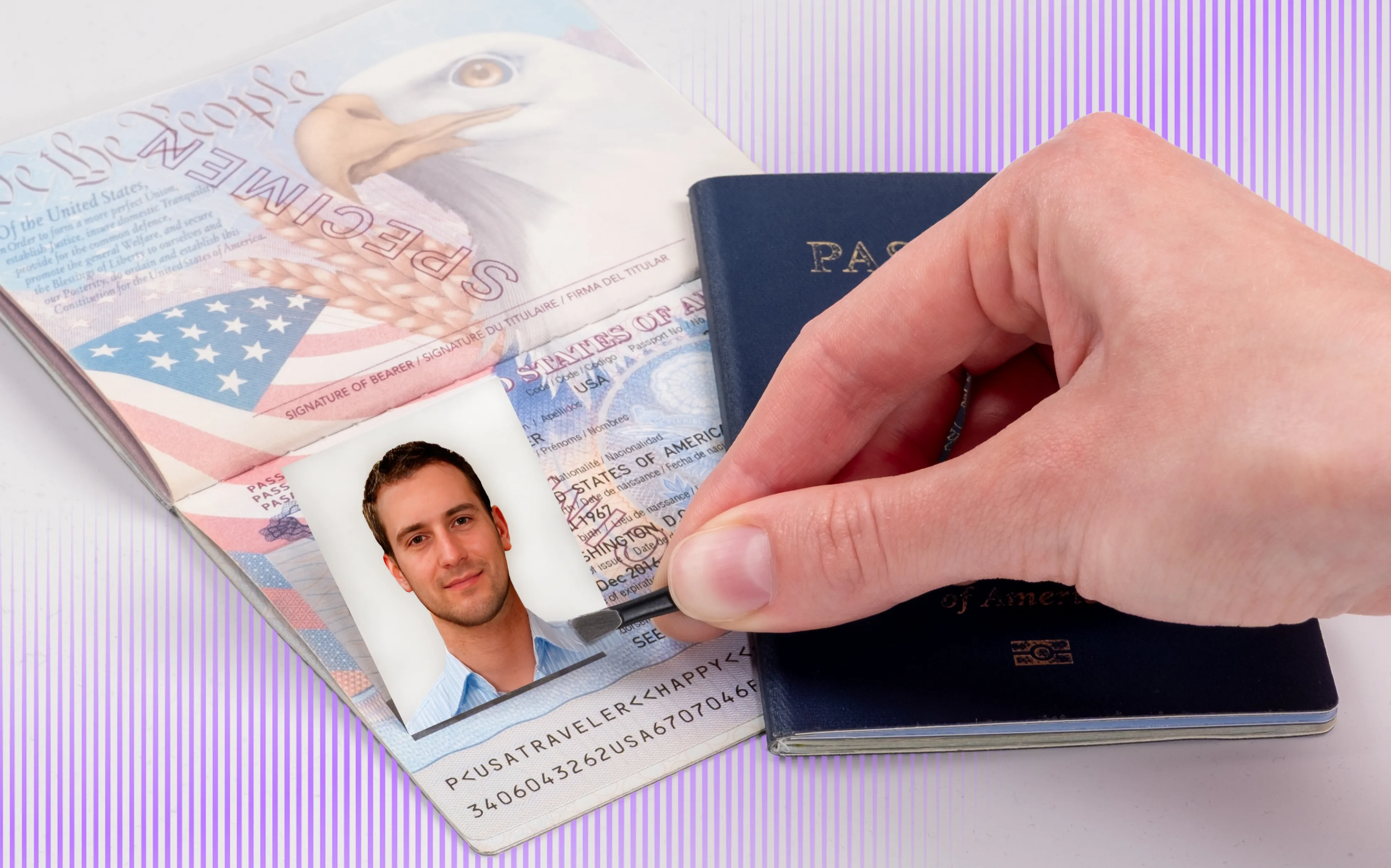
UV security features also help examiners identify alterations to a document’s photograph, personal information, or pages.
On the data page, fluorescent patterns can extend across the portrait and personal data fields. Attempts to replace the photograph or modify the information may disrupt these patterns, leaving gaps, misaligned details, or other inconsistencies visible under UV illumination.
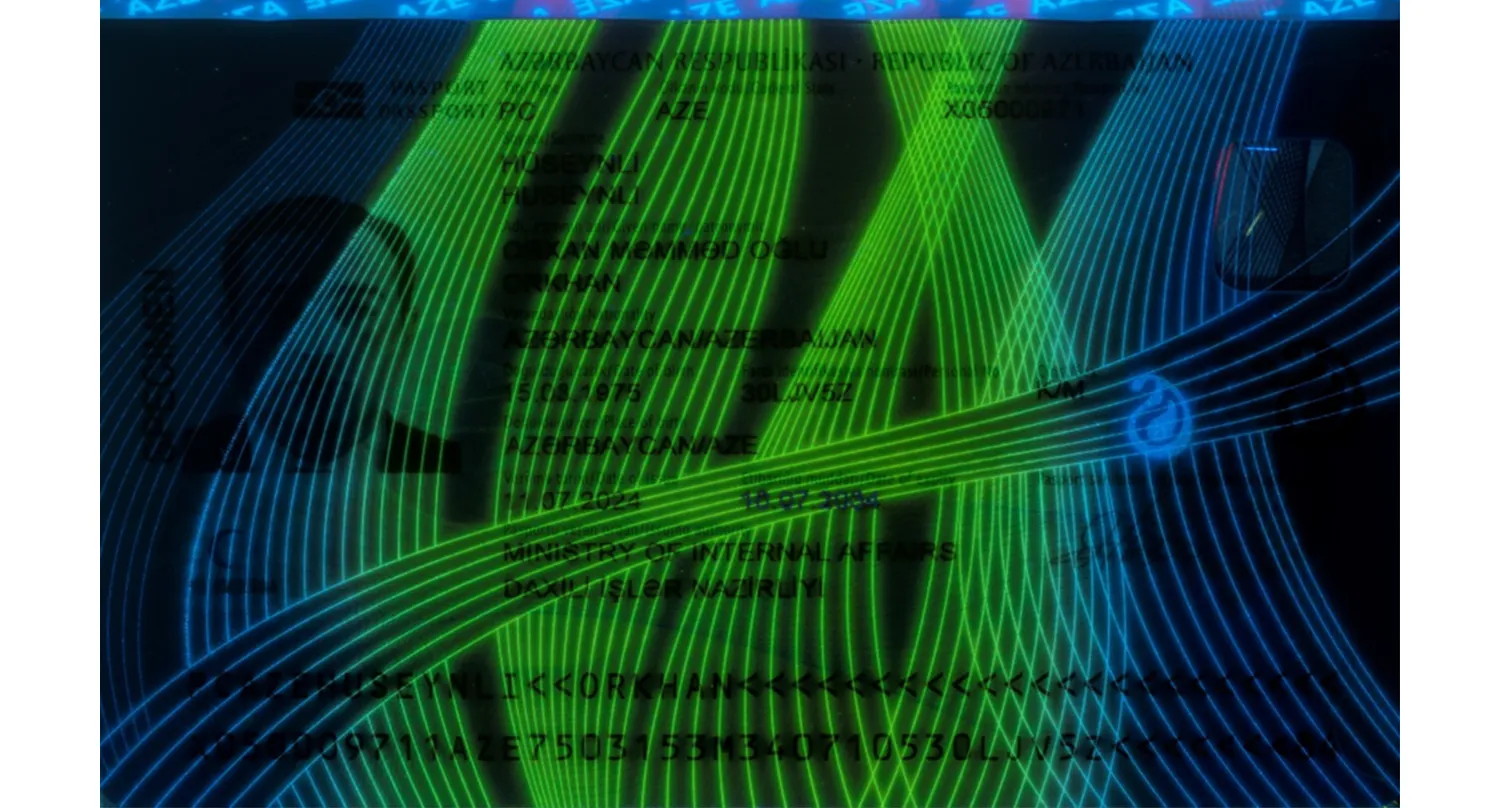
The data page of an Azerbaijani passport under UV light. The UV pattern covers the entire data page. Altering the personal data or photograph will disrupt this pattern.
For more information on how UV patterns and other security features help protect the data page, including real examples of document forgery, read our dedicated article Let’s Face the Truth: The Photo Is the Most Sensitive Part of Document Security
On passport pages, fluorescent designs help protect against page substitution. Page numbers repeated in UV patterns, along with unique fluorescent designs, make it harder for counterfeiters to replace pages without leaving detectable inconsistencies.

Brazilian passport pages under UV light. The fluorescent patterns repeat the page numbers.
Besides, if different passport pages feature an identical arrangement of fluorescent security fibers, this is a sign of forgery. Genuine security fibers are incorporated into the paper during production, creating a unique combination of shapes, positions, and relative arrangements, much like a fingerprint. If these patterns repeat across pages, it suggests that the fibers have been imitated by printing, potentially using the same printing plate.
.webp)
The pattern of security fibers, as well as their colors and shapes are identical on different passport pages.
UV illumination is useful not only for examining security features in identity documents and banknotes but also for detecting alterations in handwritten documents. For example, it can reveal traces of chemicals used to remove handwritten entries through chemical erasure. Even when the original writing is no longer visible under white light, the treated areas may show a different fluorescent response under UV illumination, helping examiners identify signs of tampering.

An example of chemical erasure in a handwritten document. The original signature was removed using chemicals, but its outlines are clearly visible under UV illumination due to the fluorescent response of chemical residues left on the paper.
How does the material of the document influence UV fluorescence
Polycarbonate is becoming the standard for modern passports. According to IN Groupe, over 40% of countries have already decided to switch to polycarbonate for the data page of their new electronic passports, with adoption continuing to increase year after year. And the broader shift away from paper is even more extensive, as this figure does not include countries that have adopted plastic data pages made from other than polycarbonate materials.
When examining UV security features, it is important to consider the document’s construction. Polycarbonate has different UV transmission properties from the laminates used to protect paper data pages. It acts as a filter that strongly absorbs short-wave UV radiation. As a result, 254 nm illumination cannot effectively reach fluorescent features beneath the polycarbonate layer, preventing their excitation.
However, the result may appear different when using a UV lamp. A lamp intended to provide 254 nm illumination can also emit additional spectral lines, including at 313 and 365 nm. These wavelengths can pass through the polycarbonate and excite fluorescent features, creating the misleading impression that the document is responding to 254 nm radiation.
For a detailed explanation and experimental comparisons, read Why Regula Prefers UV LEDs Over UV Lamps.
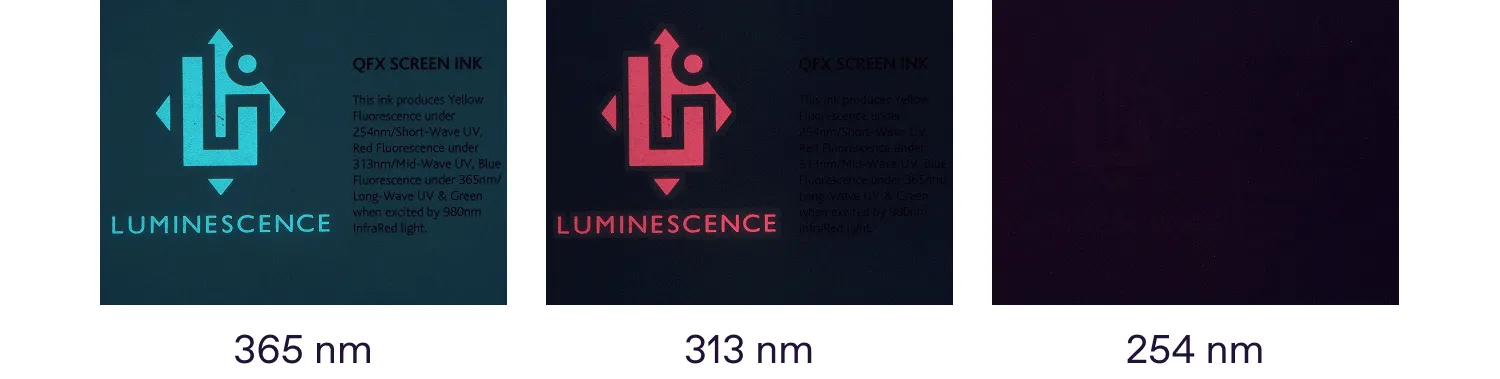
A test object covered with polycarbonate. No fluorescence is observed when it is illuminated with a 254 nm UV LED. The LED source provides high spectral purity.
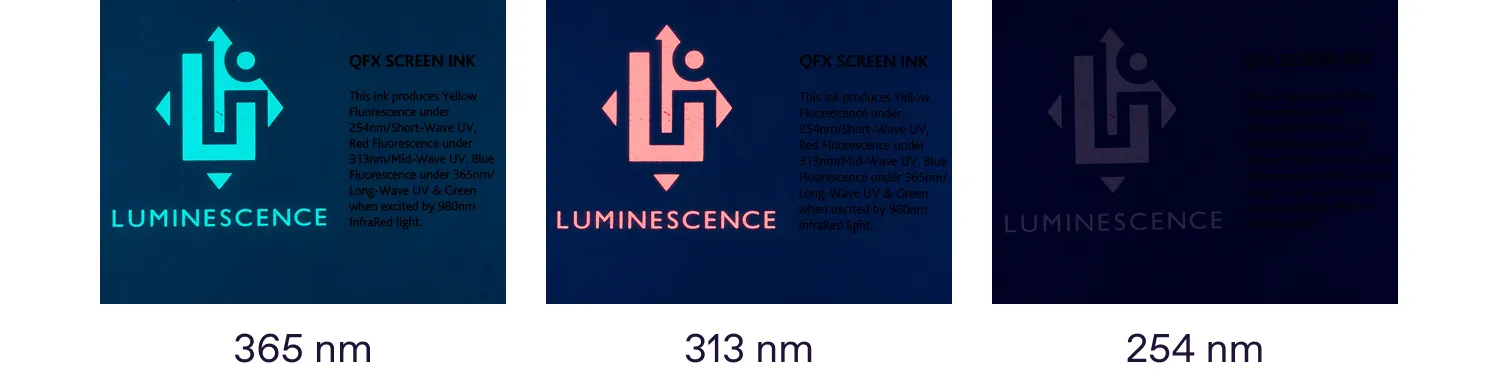
A test object covered with polycarbonate. Fluorescence is observed under a 254 nm UV lamp because parasitic spectral lines at longer wavelengths pass through the polycarbonate and excite the fluorescent materials.
As these examples show, reliable forensic document examination requires an understanding of both the document’s materials and the characteristics of the light source used to examine it. Knowing how the material transmits or absorbs UV radiation, and which wavelengths the source actually emits, helps examiners avoid misleading interpretations and incorrect conclusions.
How Regula can help in your examinations of UV fluorescence
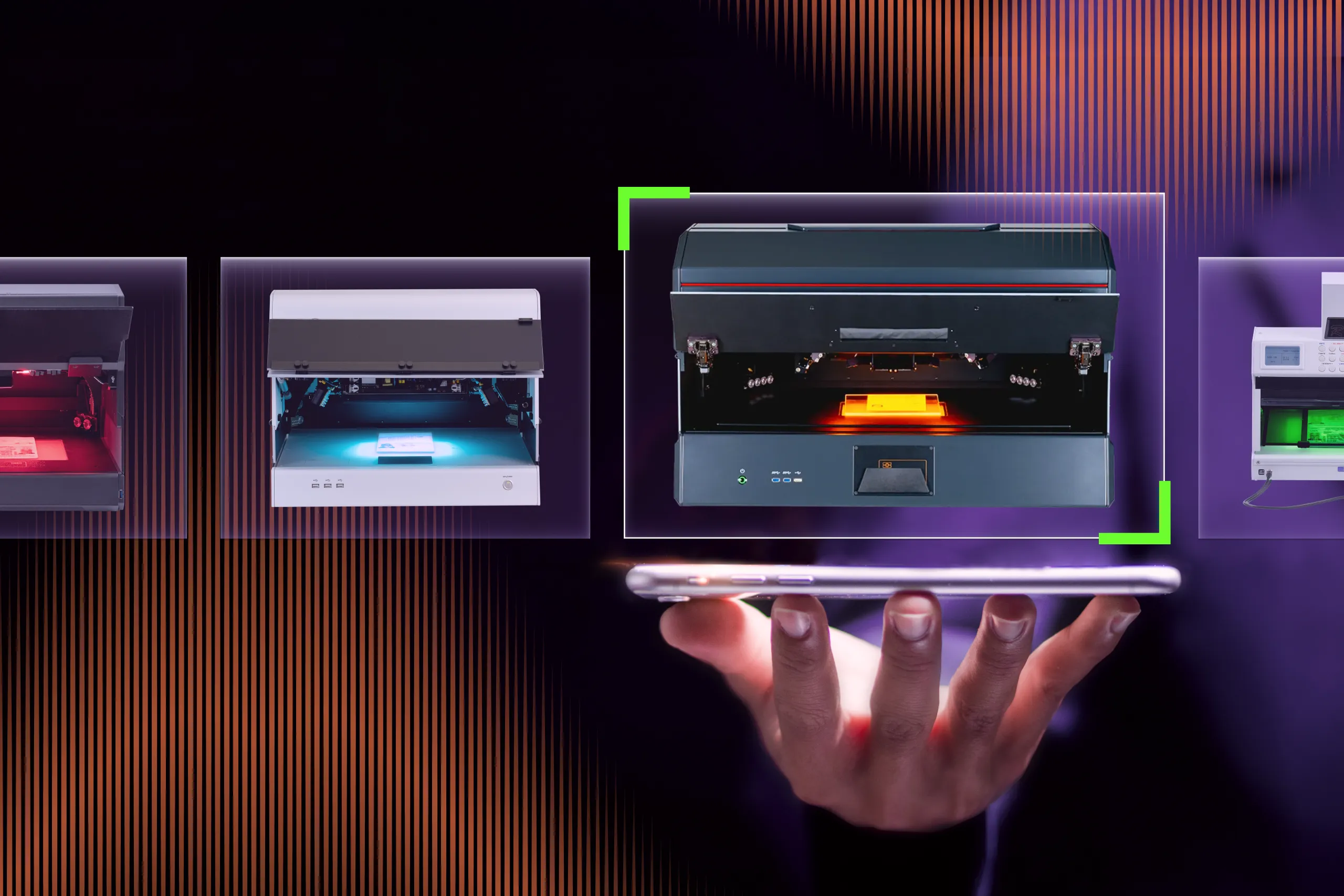
Examining the document substrate’s response to UV illumination and checking its UV security features are basic steps in assessing the authenticity of identity documents and banknotes. That is why virtually every device in Regula’s forensic range is equipped with UV light sources at different wavelengths, from the Compact Document Examiner Regula 1031 to the flagship Dual-Video Spectral Comparator Regula 4308M.
The available UV wavelengths, filters, and examination capabilities vary by model and configuration, allowing experts to select equipment suited to their examination tasks.
Besides, Regula Forensic Studio software features two modes of UV visualization. The mode of pure fluorescence is based on a cutoff filter in the 450–700 nm range, which blocks the illumination emitted by the UV light source, particularly the blue spectral component. As a result, only the fluorescence emitted by the document itself can be captured.
On the contrary, when there is a need to capture an image under a UV light source exactly as it is seen with the naked eye, the visible mode is used. This mode combines an ultraviolet light source with a cutoff filter in the 370–680 nm range.
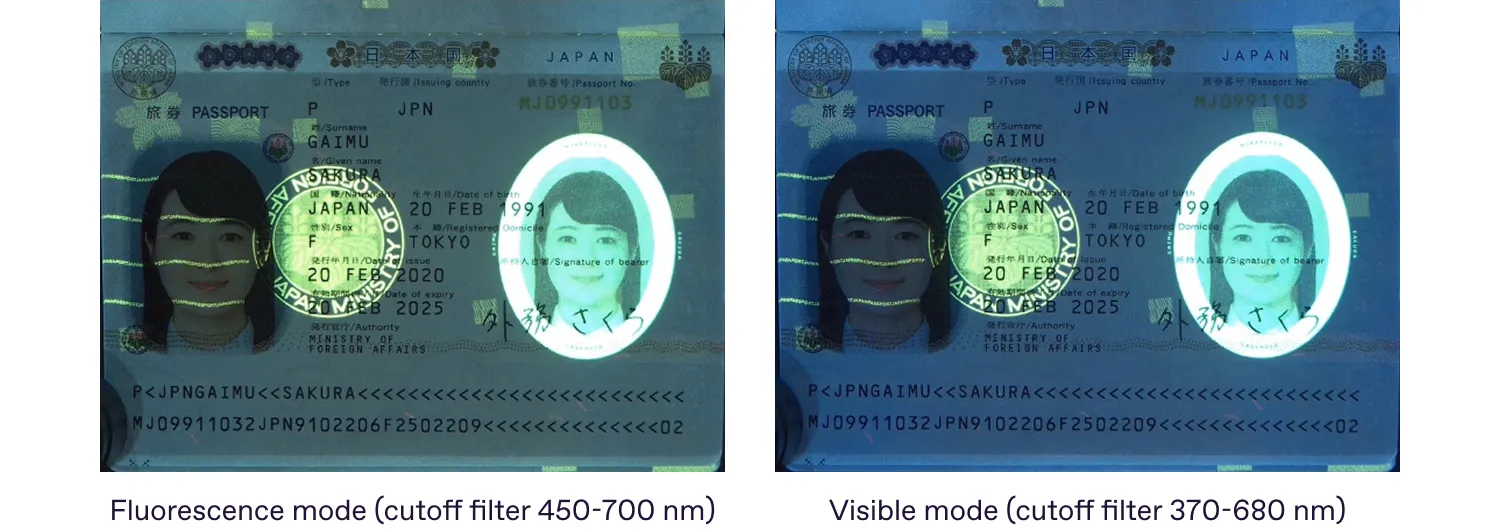
In this mode, the ultraviolet radiation is blocked, and only the visible reflected light is captured, allowing the examiner to observe the document appearance under UV illumination in a way that corresponds to human vision.
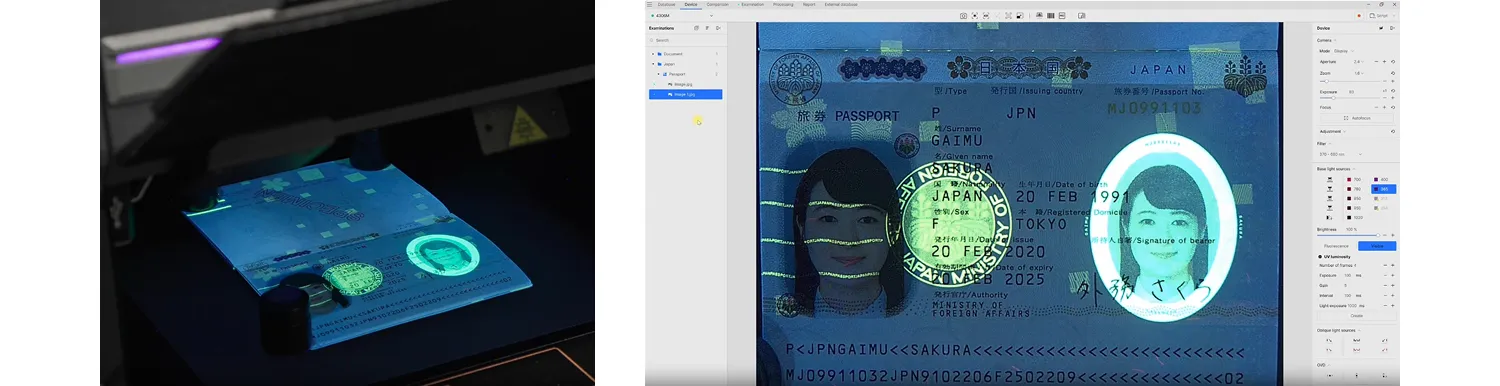
In the visible mode of UV fluorescence, the image displayed on the screen corresponds to how it is perceived by the human eye. The device is the Regula 4306M.
Finally, Regula Forensic Studio software can be supplemented with the Information Reference Systems (IRS), the most comprehensive catalogue of reference images for document and banknote examination. IRS contains images of documents and banknotes captured under various forensic light sources, along with close-ups of their security features. It currently includes more than 12,500 reference documents and banknotes from around the world.
Clicking a light source in the Information Reference Systems window allows Regula Forensic Studio to activate the corresponding light source in the video spectral comparator. This enables you to visually inspect the questioned document under the same illumination as the reference image.
Regula brings together reference images of documents and banknotes with examination devices offering a choice of wavelengths, filters, and visualization modes. Contact our team for a consultation and demonstration to find the solution that fits your examination needs and workflows.