


Identity fraud is becoming increasingly sophisticated: attackers now use synthetic media, high-quality replicas, injection tools, and other methods that look convincing to the untrained eye. As fraud becomes more advanced, identity verification tools must meet a higher standard, and those evaluating them need a clearer view of how they actually work.
This FAQ is written for product owners, security leads, architects, and engineers. It focuses on Regula Document Reader SDK and Regula Face SDK as they are used in real projects, with practical details on deployment, security, accuracy, performance, and fraud resistance.
This article is meant to give you enough clarity to decide whether Regula is a fit for your stack, and enough technical depth to discuss the SDKs with your internal experts. You can read it front to back, or just jump to the sections that interest you the most.

Subscribe to receive a bi-weekly blog digest from Regula
General questions about Regula SDKs
1. What are Regula Document Reader SDK and Regula Face SDK?
Regula Document Reader SDK is a cross-platform solution for reading and verifying identity documents. It works with passports, ID cards, driver’s licenses, visas, residence permits, and other document types. The SDK extracts data from visual zones, MRZs, and barcodes, reads RFID chips where supported, and runs authenticity and document liveness checks to confirm that the document is a real physical ID rather than a copy or a digital reproduction.
Regula Face SDK handles biometric verification. It compares faces one-to-one, searches across a database of stored face descriptors (1:N), and performs liveness and presentation attack detection (PAD). These checks are designed to detect common and advanced fraud attempts, including screenshots, video replays, injected video streams, masks, and other spoofing techniques, and to confirm that a real person is present in front of the camera.
The two SDKs are often used together. Document Reader SDK extracts portraits from the document, and Face SDK compares them with a live selfie, allowing you to verify that the person presenting the document matches the document holder.
Both SDKs are designed to run inside the customer’s own environment. They are deployed on-premises or in a private cloud, within the customer’s security perimeter. Document images, biometric data and processing results are not shared with Regula or third parties. The SDKs expose APIs that your applications call inside your infrastructure, and all decisions are made there.
These components are meant to be integrated into web, mobile, desktop and server systems used for KYC, onboarding, fraud prevention, access control and border control workflows.
2. How are the SDKs deployed?
Regula SDKs are fully cross-platform on-premises solutions that support the following platforms:
iOS/Android/cross-platform frameworks for mobile components
Web applications
Linux/Windows/Docker packages are available for service distribution
Whether you're working on a mobile, web, or desktop application, Regula SDKs provide the same functionality for all platforms and architectures.
Supported environments include Linux distributions such as Debian, Ubuntu and Red Hat, Windows, Docker containers (including certified Red Hat images), and Kubernetes with Helm charts.
Regula SDKs are deployed (installed and run) on-premises, meaning that all processing is performed directly on the customer’s servers. Therefore, Regula does not store, process, receive, or transfer any data to any third parties. Access control, auditability, and restrictions fall out of the scope of our product, and are applicable only to end-to-end solution developers.
Currently, Regula does not provide SaaS or hosting services. After integrating the SDK, the customer gets full control over the data flow, integrity, and storage, making Regula compliant with security and compliance protocols. When you see “cloud” in Regula materials, it refers to infrastructure under your control, not a shared hosted platform that Regula operates.
3. How does Regula address security, privacy, and certification?
IT security is a natural extremely high priority for Regula: our procedures include (but are not limited to) penetration testing, vulnerability assessments, code reviews, and compliance checks with industry standards such as ISO 27001. Additionally, we regularly update our security protocols and conduct ongoing monitoring to proactively identify and address any potential vulnerabilities.
As for specific certifications:
Regula is ICAO compliant. Also, our solutions are fully compliant with eIDAS and ETSI requirements, and support ISO/IEC 14443-2, ISO/IEC 14443-3, and ISO/IEC 14443-4 RFID chip standards.
Regula Face SDK has been tested and is certified under iBeta’s Presentation Attack Detection (PAD) Level 1 and 2 (ISO/IEC 31007-3) for biometric authentication and facial recognition.
Regula has ISO 27001 Certification, ensuring compliance with international standards for information security management.
Regula Face SDK algorithms undergo continuous testing and are benchmarked through programs like the Face Analysis Technology Evaluation (FATE).
Regula also has additional industry-specific certifications validating platform security, reliability, and regulatory compliance.
You can find more information on our certificates here.
4. Do the SDKs send data to Regula or to third parties?
In the standard deployment model, they do not.
Images, chip contents, and biometric samples are sent from your clients to your own instances of the Regula Web Services, or to your own backend that links with the SDKs directly. The Web Services process the data in memory and return structured JSON results.
Key points:
Document verification, liveness detection, and face matching run on your infrastructure.
There is no external human review service that sees your users’ documents or selfies.
Checks are automated end-to-end.
If you want to use AML, PEP, sanctions, or other external data sources, you can do that in your own systems using the JSON output from the SDKs as input.
5. What documentation, demos, and evaluation resources are available?
Regula provides plenty of free material:
A Developer Hub with full technical documentation for both SDKs, covering installation, configuration, APIs, scenarios, parameters, release notes and architecture.
Web API demos for Document Reader SDK and for Face SDK, where you can document verification, face matching and see liveness/PAD in action, then inspect the JSON results.
Demo apps and sample interfaces for iOS and Android that let you try document capture and face capture flows on mobile devices, similar in spirit to the web demos.
Articles and expert hub content on topics such as certificates for e-documents, image quality requirements, and SDK use in different environments.
A trust and certificates section that lists standards compliance and third-party attestations.
For more realistic testing, you can request a trial license and run the SDKs against your own dataset in a controlled environment.
6. What licensing options are available?
There are three main licensing models:
Transaction-based licensing (online): This model uses an online license that talks to the licensing server. You pay based on the number of transactions. It works across Web API, mobile SDKs, web components, and desktop components, and allows an unlimited number of instances. Licenses are renewed automatically through the licensing service.
Session-based licensing (online): In this model you licence by sessions rather than single calls. A session collects several operations into one unit, for example a document scan followed by liveness and face matching, marked with the same tag. Note: This option is enterprise-only, available only for licenses with 100,000 sessions per year or more.
Flat-fee licensing (offline, under certain conditions): A fixed-fee model where usage is not limited by the number of transactions, but by the licensed capacity. For Web API deployments this is usually expressed as a limited number of server instances. For mobile, it is typically tied to the specific mobile application (and in practice also to the allowed number of users/installations, depending on the agreement). This model does not require a constantly available internet connection, but it comes with additional constraints and is offered under certain conditions, so it is best discussed with the sales team.
In practice, many customers prefer transaction-based licensing because it works across more platforms and avoids manual renewal steps.
7. How is support structured and what service levels can clients expect?
Regula’s standard SLA for Document Reader SDK incidents uses three severity levels.
Priority 1 (Urgent): Business operations are halted or data cannot be processed. Response within 12 hours, workaround within 3 business days, permanent fix within 15 business days.
Priority 2 (High): A serious problem exists but a workaround lets the system operate. Response within 24 hours, workaround within 5 business days, permanent fix within 30 business days.
Priority 3 (Low): Non-service-affecting faults or feature requests. Response within 72 hours, workaround within 60 business days, permanent fix in the next product revision.
Standard support is included for the whole license or subscription period. A 24/7 SLA with shorter response times is available as a paid option. Regula also takes responsibility for the availability and maintenance of its licensing server.
Because the SDKs run inside your environment, effective support usually depends on cooperation. For example, if a particular passport does not read correctly, support will need configuration details and sample images to reproduce and investigate the case.
Regula Document Reader SDK FAQs
8. What does Document Reader SDK do and which documents and platforms does it support?
Regula Document Reader SDK reads and verifies identity documents across multiple platforms.
On the document side, it supports:
Passports and ePassports.
National ID cards and residence cards.
Visas and residence permits.
Social security and similar IDs.
Various specialised documents, such as marine licenses or refugee cards.
The template database contains around 16,000 document templates from 254 countries and territories. Each template includes layout information, field definitions, security features and, where relevant, chip structure.
On the technical side, Document Reader SDK can be used:
As a native SDK on mobile, desktop and server platforms, as well as hardware such as document readers.
As a Web Service installed on Linux or Windows, in containers or directly on hosts.
This allows you to use the same verification logic in mobile apps, browser-based flows and back-office systems.
9. How does automatic document type detection work?
Automatic type detection lets the SDK identify what kind of document it is looking at without relying on the user to pick the right option in a menu.
Regula document type detection technology automatically identifies the type of the document. It precisely defines each key attribute that can be placed on an identity document, be it MRZ, barcode, etc.
As soon as the document gets in the camera view, Regula technology thoroughly analyzes the document and its key elements, identifies its type and country of issue, what kind of key attributes should be presented on that particular type of document, where to find them, and what exactly they should look like, including their appearance under different light sources and at various angles.
At a high level, the SDK:
Receives an image of a document.
Analyzes layout, fonts, positions of key fields, and security patterns.
Compares these characteristics with entries in the template database.
Selects the most likely template and uses it for recognition and verification.
Such high-precision document type identification further benefits OCR and verification processes, no matter what type of document you process.
10. How does Document Reader SDK decide whether a document is authentic?
Document Reader SDK combines multiple checks and provides a structured result rather than a simple yes/no flag.
Key elements include:
Data extraction and consistency checks: The SDK reads MRZs, barcodes, and visual fields. It validates MRZ checksums, date formats, and document number formats. It compares values across MRZ, visual zone, barcodes, and RFID chip data. Mismatches, such as a name that differs between zones, are strong indicators of tampering.
Security features and document liveness: The SDK checks for features such as holograms and optically variable elements when they are expected for a given template. It also looks for signs that a document is a printout or a screen photo instead of a physical document, for example, by analyzing noise patterns and other artifacts.
ML-based fraud detection: In addition to rule-based checks, the SDK applies machine learning models trained to spot patterns typical of forged or altered documents. These models help detect subtle artefacts that may not violate a single rule but still indicate fraud, such as abnormal textures, inconsistencies in printing, or signs of digital manipulation.
Photo area and Invisible Personal Information (IPI): The system checks whether portraits are present in the right positions and have the expected size and geometry. It detects typical methods of replacing a photo in the main or ghost image. For documents that contain IPI, its presence in the portrait area can be confirmed, provided the image resolution is sufficient.
Automatic Authenticity Control: Document Reader SDK includes processing scenarios that chain these checks into a single flow. In such a scenario, the system recognizes the document, extracts data from all relevant zones, and runs the configured authenticity checks in one step.
The output is a detailed report per check and per field. You then apply your own policy: for example, you may decide that a mismatch between MRZ and visual data is unacceptable, while a small formatting oddity in a secondary field may still pass.
11. How are RFID chips in electronic documents handled?
For documents that use ISO/IEC 14443-compliant RFID chips, such as ePassports and many e-IDs, Document Reader SDK can read and verify their chip contents.
The process includes:
Reading data groups such as DG1 (MRZ data), DG2 (face image), and others, where access is permitted.
Validating that data has not been altered, using digital signatures and the document security object.
Applying Passive Authentication, Active Authentication, and Chip Authentication to confirm chip integrity and genuineness.
Using BAC, PACE, and Terminal Authentication, where required, to control access to sensitive data groups.
Server-side verification is especially important when document reading starts on a mobile device. The mobile device reads data via NFC and sends it to the back end, which then verifies integrity and authenticity in an environment that is not under the user’s control.
Document Reader SDK does not ship with country signing certificates, revocation lists, or master lists. Organizations obtain these from ICAO PKD and national authorities, and configure them in their own trust stores.
12. What does the processing result look like, and is any data stored?
By default, Document Reader Web Service does not store processed data. It receives images, performs checks, and returns a result. Retaining images and results is up to you.
The result is returned as JSON and includes:
A general status for the document.
Status codes for each check or field, such as “valid,” “failed,” or “not verified.”
Extracted values from MRZ, visual fields, barcodes, and RFID data where available.
Cross-checks, for example “MRZ and visual date of birth match” or “barcode country code does not match MRZ.”
This structure gives you full visibility into why a document passed or failed. You can log the JSON as part of your audit trail, apply decision rules, and feed the outcome into further fraud models.
13. How accurate is OCR and how many languages are supported?
OCR performance always depends on image quality, document condition and the fonts used. Regula’s internal testing on controlled datasets with known ground truth shows character-level accuracy of up to 99% under good conditions. Real-world accuracy will differ, because production images may include damaged text, dirt or previous printing errors.
Document Reader SDK supports OCR for 130+ languages including Latin and non-Latin scripts, including those used in passports and identity cards around the world. The exact list is available in the documentation.
If you need support for a language that is not currently covered, Regula can often add it, provided you supply enough representative identity document samples for training and validation. That work is then included in a future release of the SDK.
14. How does Document Reader SDK handle skewed, blurry images, or glare?
Image quality is one of the main factors for successful recognition, so a lot of engineering effort goes into capture and pre-processing.
Document Reader SDK can:
Detect document edges and correct skew and rotation.
Apply pre-processing that reduces glare, especially on holograms, within the limits of the hardware.
Enforce minimum quality thresholds, so that very blurry or low-resolution images are rejected before processing.
For images captured in UV or IR, specialized options such as Smart UV and IR compensation help reduce ambient light effects and overexposure.
15. How fast is Document Reader SDK, and what influences performance?
In typical scenarios, Document Reader SDK can process a two-sided document in about one second. When you add certain authenticity checks, such as hologram analysis, total processing time can increase by a few seconds.
From the user’s point of view, the total time includes:
Capturing and uploading images.
Recognition and verification on the server or device.
Applying business rules and showing a decision in your interface.
Several factors influence the processing side:
The selected processing scenario.
The number and type of fields you extract.
Hardware resources on the servers that run the Web Service.
Use of chip verification.
You can scale performance horizontally by running more Web Service instances and distributing traffic between them.
16. How can Document Reader SDK be integrated and monitored in production?
Integration and monitoring are built around standard tooling.
For integration:
Web Service deployment: You run Document Reader SDK as a Web Service in your environment. Client applications send images and parameters over HTTP(S), and the service returns structured JSON results.
Native SDK usage: Document Reader SDK can also be integrated as a native library in mobile, desktop or server applications. In this case, document processing happens directly inside the application or on the device itself, without sending images over HTTP to a separate service.
For monitoring:
The Web Service exposes a metrics endpoint in a format compatible with Prometheus. You can scrape those metrics and view them in tools such as Grafana.
Configurable logging records errors, warnings, and debug information, which helps with troubleshooting and audits.
Typical metrics include request counts, error rates, latency and worker status. Combined with your own application monitoring, this gives a clear picture of how document verification behaves under different loads and configurations.
17. Can you add new document types if they are missing?
Yes. Regula maintains its own document database and can extend it.
For many years, Regula has contributed directly to a number of international organizations such as Interpol, Europol, ICAO, the UN, and others. We exchange forensic knowledge and information about ID documents, which helps us obtain strong expertise and leave no room for forgery. Moreover, our in-house R&D, proprietary manufacturing, and rare experts from forensic labs facilitate the fastest time to market.
There are two ways in which new documents are added, depending on the case:
If a new ID has a new security element, our forensic experts carefully examine it with the help of our professional devices. Then we create and test new verification algorithms, and roll out an update for all documents with this security feature in our database, which is used in Regula’s solutions.
If a new ID has already known and supported security features, we just add a new template and the new information to our database.
Regardless, it usually takes three to five days to add a new document to our database.
Regula Face SDK FAQs
18. What does Regula Face SDK do in practice?
Regula Face SDK provides several biometric capabilities:
Face detection.
One-to-one comparison of two faces with a similarity score.
One-to-many search against a database of stored face descriptors.
Liveness checks that distinguish a live person from a spoof.
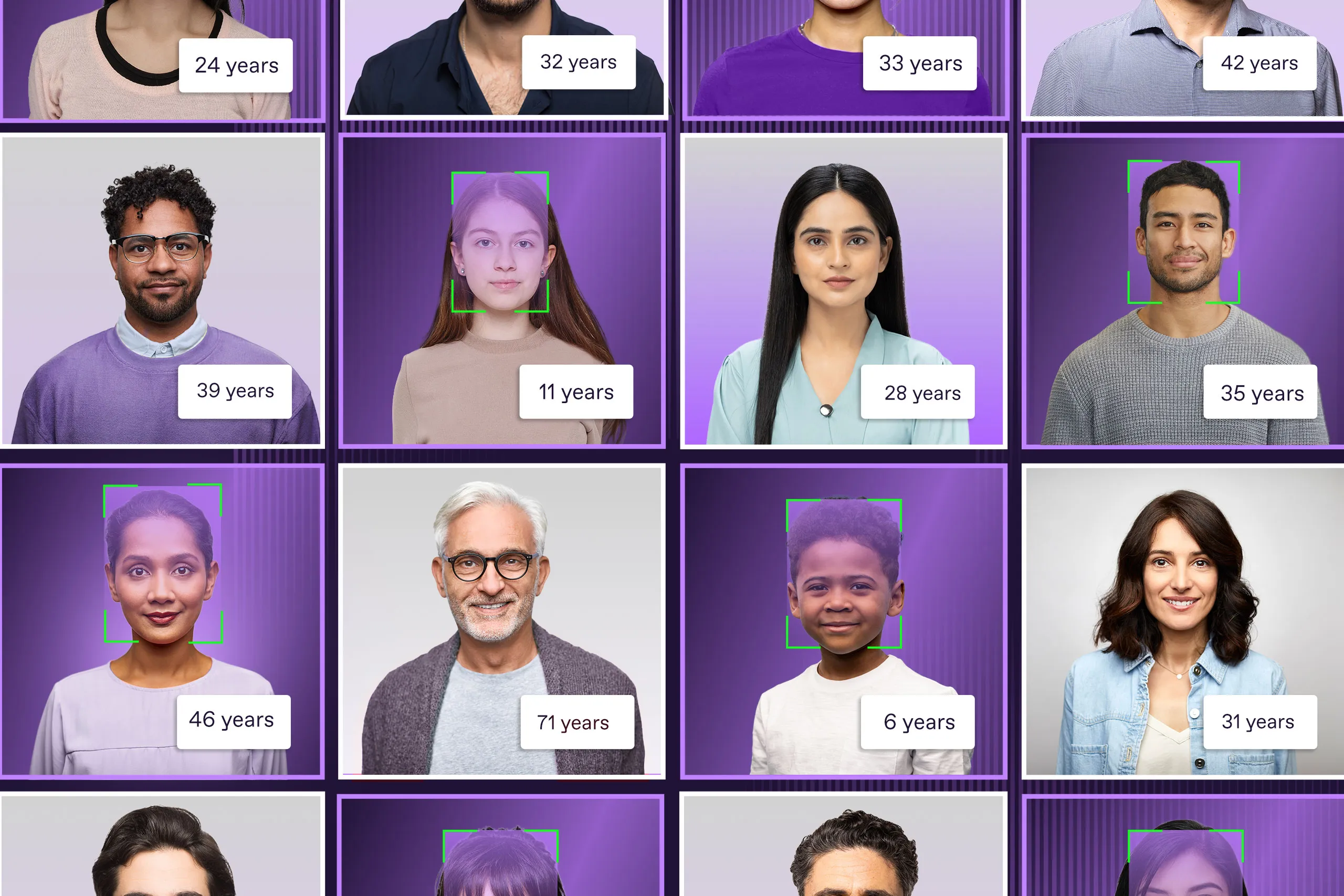
Quality and attribute evaluation, including age estimation and detection of occlusions.
These capabilities are used for KYC checks, account opening, passwordless login, fraud prevention, access control, and similar use cases.
Many customers link Face SDK with Document Reader SDK so that the live face can be compared with the portrait printed on the document or stored in the RFID chip.
19. How does Face SDK confirm that a person is real, not a spoof?
Face SDK uses liveness detection. Instead of relying on a single heuristic, the liveness decision is produced by machine learning models that are trained on large sets of examples.
In practical terms, the models are trained by showing them many samples of:
Live captures from real cameras under different conditions
Non-live attacks, such as printed photos, images shown on screens, video replays, masks and injected or altered video streams
The models learn to separate these classes based on patterns that consistently differ between genuine capture and spoofed input. Because the exact signals are learned by the models rather than hard-coded rules, it is not accurate to describe liveness as “checking for X micro-movement” in every case.
What matters for an evaluator is that the decision is driven by training on real attack examples and that the training set is expanded as new attack techniques appear.
Face SDK supports two styles of liveness:
Passive liveness, where the user simply looks at the camera while the system makes a decision.
Active liveness, where the user follows on-screen prompts, for example moving or turning in specific ways.
20. Which attack vectors can Face SDK detect?
Face SDK is designed to detect several categories of attacks:
Printed photos held up to the camera.
Photos displayed on phones, tablets or monitors.
Replayed videos of the user.
Video injection through virtual cameras or altered video streams.
Silicone masks and 3D printed heads.
The liveness and PAD models are trained on these threat types. On the server side, additional checks can help flag patterns associated with injection, such as certain characteristics of incoming data.
21. Are Face SDK checks fully automated and how quick are they?
Checks are fully automated.
The SDK does not rely on human analysts when confidence is low, and Regula does not provide a manual review service that sits behind the SDK. All decisions in the API responses are generated by algorithms.
If your process requires human review, you can build that layer inside your own systems. For instance, you might decide to send cases with similarity scores in a specific range to a specialist team while letting very clear passes and very clear failures move through automatically.
As for speed, internal measurements indicate that a typical active liveness session (with prompts) on a user’s device takes about four to ten seconds, depending on the user’s experience with the flow.
Server-side processing and API response usually add less than one second, when Face SDK is running with GPU acceleration. In CPU-only deployments, server-side processing remains fast but can take longer under higher load, depending on hardware and concurrency.
22. What does the output of face matching look like?
Face SDK returns a structured JSON result.
For one-to-one comparison, the result typically contains:
A similarity score that reflects how alike the two faces are.
Optional binary decisions derived from thresholds you configure in your own logic.
For a one-to-many search, the result lists candidates from your database, each with an identifier and a similarity score. Candidates are sorted by similarity, so the best match appears first.
You decide how to interpret the scores. For example, you can define a high threshold where you accept a match, a lower threshold that triggers manual review, and everything below that as a clear non-match.
23. How accurate is face matching, and how is it measured?
Face matching performance depends heavily on two things: the quality of the images and the similarity threshold you choose. The same algorithm can behave very differently if lighting, camera optics, capture distance, motion blur, pose and occlusions change.
Performance is measured in several ways:
External testing through NIST FRVT one-to-one verification, which evaluates algorithms from many vendors.
Internal benchmarks on proprietary datasets that include different ages, lighting conditions, poses, and occlusions.
Note that it is difficult to pick one universal threshold that works equally well in every environment. Even if you keep the threshold constant, changes in camera type, user behaviour, lighting, or capture UI can shift the distribution of similarity scores. In other words, “0.8” can be a good threshold in one setup and the wrong threshold in another, even when the underlying matching model is the same.
Because of that, Regula usually provides a recommended starting threshold based on product experience and typical capture conditions, but strongly advises teams to measure performance using their own production-like data and then adjust the threshold to match their risk policy:
If you optimize for fewer false accepts, you raise the threshold.
If you optimize for fewer false rejects and smoother user flow, you lower it, often paired with extra checks in borderline cases.
24. How does Face SDK handle masks, beards, glasses, and other occlusions?
Face SDK separates attribute and quality evaluation from identity matching. Along with biometric output (match scores, liveness decision), it provides quality signals to understand if capture conditions are too unfavorable for a solid check.
It can detect:
Masks and heavy face coverings. If key facial regions are hidden, liveness and matching become less reliable. In higher-assurance flows, the expected behaviour is to fail or request a re-capture, because accepting heavily occluded faces increases spoof risk.
Glasses and glare. Glasses usually do not block matching, but glare and reflections can reduce image quality and lower similarity scores. In liveness, strong glare can also interfere with the capture flow.
Beards and appearance changes. Normal changes such as beard growth, a haircut or makeup can reduce similarity scores, but they typically do not break matching. The right response is usually threshold tuning plus a clear fallback path for borderline cases.
Other occlusions and accessories. Sunglasses, head coverings, headphones and similar items may be detected as occlusions or quality issues. Depending on your policy, you can treat them as warnings, require a retry, or route the session to a stricter flow.
25. How does Face SDK handle bias concerns?
Regula’s products are made to behave consistently across different demographic groups.
This is addressed primarily at the data and training level:
Diverse training and test datasets: The models are trained and evaluated on datasets that include a broad range of ages, skin tones and other real-world variation.
Continuous dataset refinement: In close collaboration with customers, Regula analyses how the SDK behaves in real deployments. When specific real-world conditions or edge cases are identified, they are used to expand and rebalance training and test datasets.
This way, representative data and ongoing feedback from production use helps Regula reduce bias and keep performance stable across different user groups.
26. Can Face SDK store biometric templates and help with duplicate detection or watchlists?
Yes. Face SDK supports creating face descriptors and using them for one-to-many search (1:N), making it suitable for duplicate detection and watchlist-style checks.
Typical uses:
Duplicate detection: When a new user enrolls, you create a descriptor from their selfie and run a one-to-many search across your existing records. If the same face appears under different identities, the search result will flag that with high similarity scores.
Watchlists: You can keep separate groups of descriptors, for example “fraud cases” or “VIP customers,” and limit searches to one group when needed.
Re-authentication: For returning users, you can compare a fresh selfie with the descriptor stored at enrollment, instead of sending users through full document checks again.
Data governance depends on the deployment model you choose. If you use Face SDK’s built-in 1:N storage, then storage and retention settings are configured within that Face SDK deployment. If you keep templates in your own systems, then storage, retention and access control are handled by your infrastructure.
In both cases, everything runs inside your environment, within your security perimeter, and you decide how it fits into your policy.
27. How is Face SDK deployed and integrated with mobile and web clients?
Face SDK can be integrated into mobile and web flows in two parts: a client-side component that captures input (selfie or video frames) and a server-side component that performs liveness and matching.
Client integration comes first.
On mobile, integration is done by adding the appropriate Face SDK library to your application (for iOS, Android, and common cross-platform stacks such as Flutter, .NET MAUI and React Native). The SDK handles capture flows, user guidance and packaging of data for processing.
On the web, the usual starting point is Regula Web Components, which provide ready-made capture UI and handle the interaction flow for face capture and liveness. If you prefer, you can also build your own UI and call the backend endpoints directly from JavaScript, but Web Components are the standard option when you want a faster, more controlled implementation.
Then you choose where processing happens.
Face SDK’s biometric processing runs on a backend you control, deployed as a Web Service. You install it on Windows or Linux, run it in containers or directly on hosts, and scale it with Kubernetes when needed.
Once your backend is deployed, the client side needs to know which backend to communicate with. In practice, that means configuring the SDK or Web Components with the Web Service endpoint URL used in your environment. The client then sends captured images or frames to that endpoint, receives JSON results back, and your application applies its decision logic.
In all cases, the processing stays inside your infrastructure. User images and video frames are sent to your servers, and clients receive only structured results.
Regula can answer every question posed by identity fraud
As identity fraud continues to challenge businesses with new and evolving tactics, Regula’s SDKs deliver the answers, protecting users from a wide range of threats, spoofs, and manipulations.
On the document side, Regula Document Reader SDK combines one of the largest template databases in the world with deep checks of MRZs, barcodes, visual zones, security features, and RFID chips. It can spot inconsistencies between data fields, detect tampering in photo zones, and confirm that an electronic document’s chip has not been altered or cloned.
As for the database, it consists of more than 16,000 detailed document templates from 254 countries and territories. More specifically, it contains all the common ID types (passports, ePassports, driving licenses, etc.), as well as rare IDs (marine licenses, refugee cards, voter cards, and many more). We update our database on a weekly basis, adding about 500 documents every quarter.
On the biometric side, Regula Face SDK brings liveness detection, presentation attack detection, and high-accuracy face matching into your own infrastructure. It is built to cope with the realities of modern fraud: printed photos, screen replays, masks, synthetic media, and injection attempts that use virtual cameras.
Have any more questions? Contact the Regula team now — we are here to help!