

In brief: Government identity verification helps agencies establish who is applying for a public service and connect that person to the right records. The appropriate checks depend on the service, the documents available, and whether the application is completed online, in person, or through both.
Document and biometric verification help agencies check that evidence, and clear instructions and assisted routes help people complete the process when an automated check fails.
An online government application can still involve a trip to an office, a witnessed form, or original documents sent by post. Accepting a form online is relatively straightforward; establishing who submitted it and whether they qualify for the service can require several kinds of evidence.
For applicants, knowing those requirements early helps them prepare and avoid repeat visits or submissions. Agencies, meanwhile, need checks that detect impersonation and give staff enough information to resolve genuine difficulties, such as an unfamiliar document or an unsuccessful face scan.
In this article, we will explore how government agencies verify identity across common public services, the challenges they face, and how document verification, biometrics, and digital identity systems are changing these processes.
Subscribe to receive a bi-weekly blog digest from Regula
When do government agencies need to verify individuals?
Agencies need identity verification when a service requires them to connect an application, entitlement, or official record to a particular person. Since both residents and non-residents are among the applicants, the documents available and the requirements of each service can vary.
Common use cases include:
-
Social benefit applications/claims
-
Tax filing
-
Physical ID issuance or renewal
-
Getting health insurance
-
Obtaining/renewing a residence permit
-
Applications for asylum or refugee status
Identity proofing establishes who the applicant is, and authentication checks their access credentials when they return to a portal. The agency also separately assesses eligibility, such as a benefit’s income or residence requirements.
How do government verification workflows look in practice?
There are different verification procedures for the processes listed above. Typically, governments use the locations and tools described below:
| Verification route | Typical tools and checks |
|---|---|
| In person (at government agencies) | ID document readers, fingerprint readers, and manual checks of original documents |
| Online (via official apps and web platforms) | Document verification, chip reading where supported, and selfie verification where required |
| Hybrid | Online checks combined with appointments, witnessed forms, or physical supporting documents |
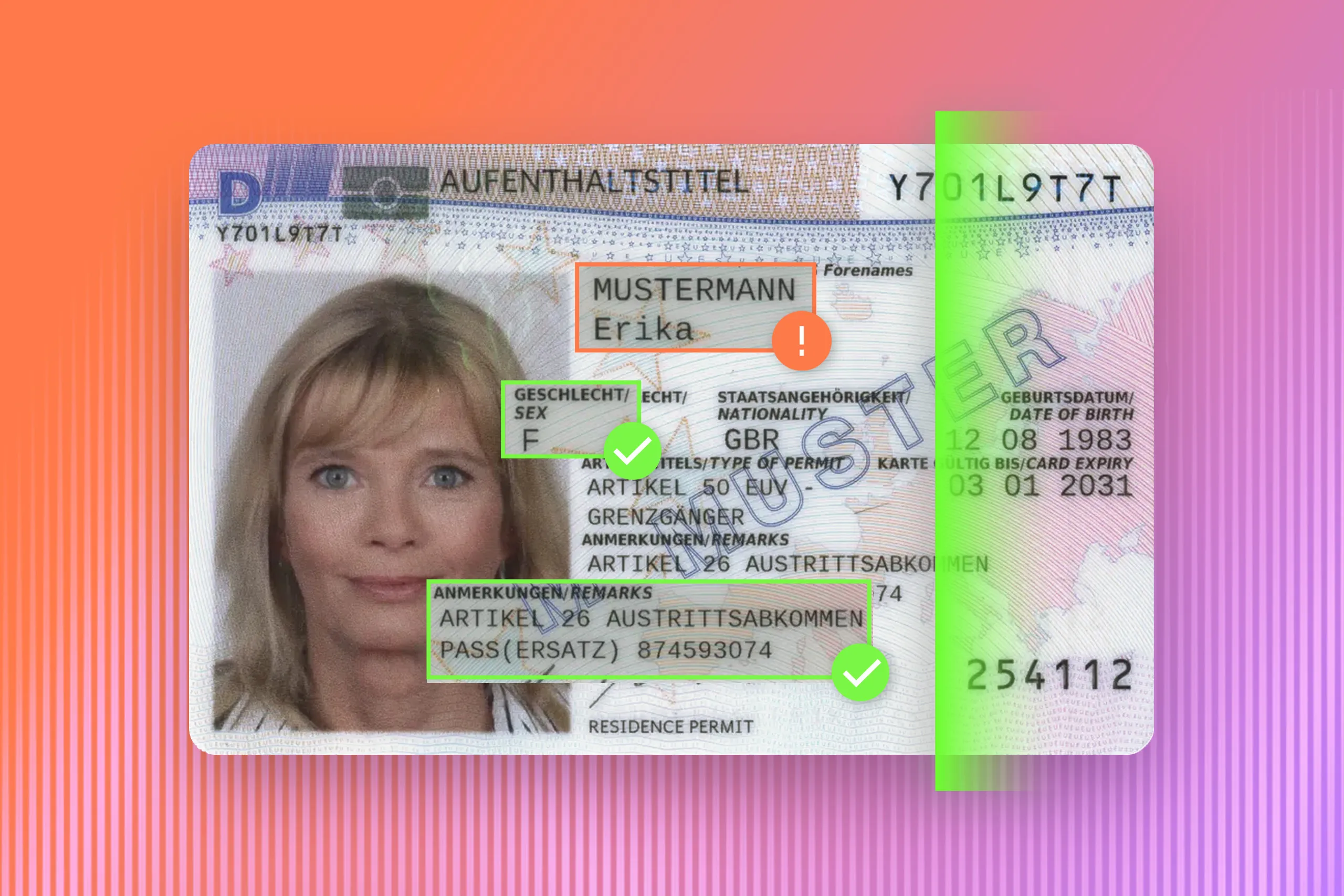
For in-person checks, Regula document readers can capture document images under different light sources, allowing staff and software to examine security features that may be difficult to assess in an ordinary scan. The available checks depend on the device model.
The following examples show how the service and the available identity evidence determine which steps applicants complete online or in person.
In-person example: Obtaining a German residence permit
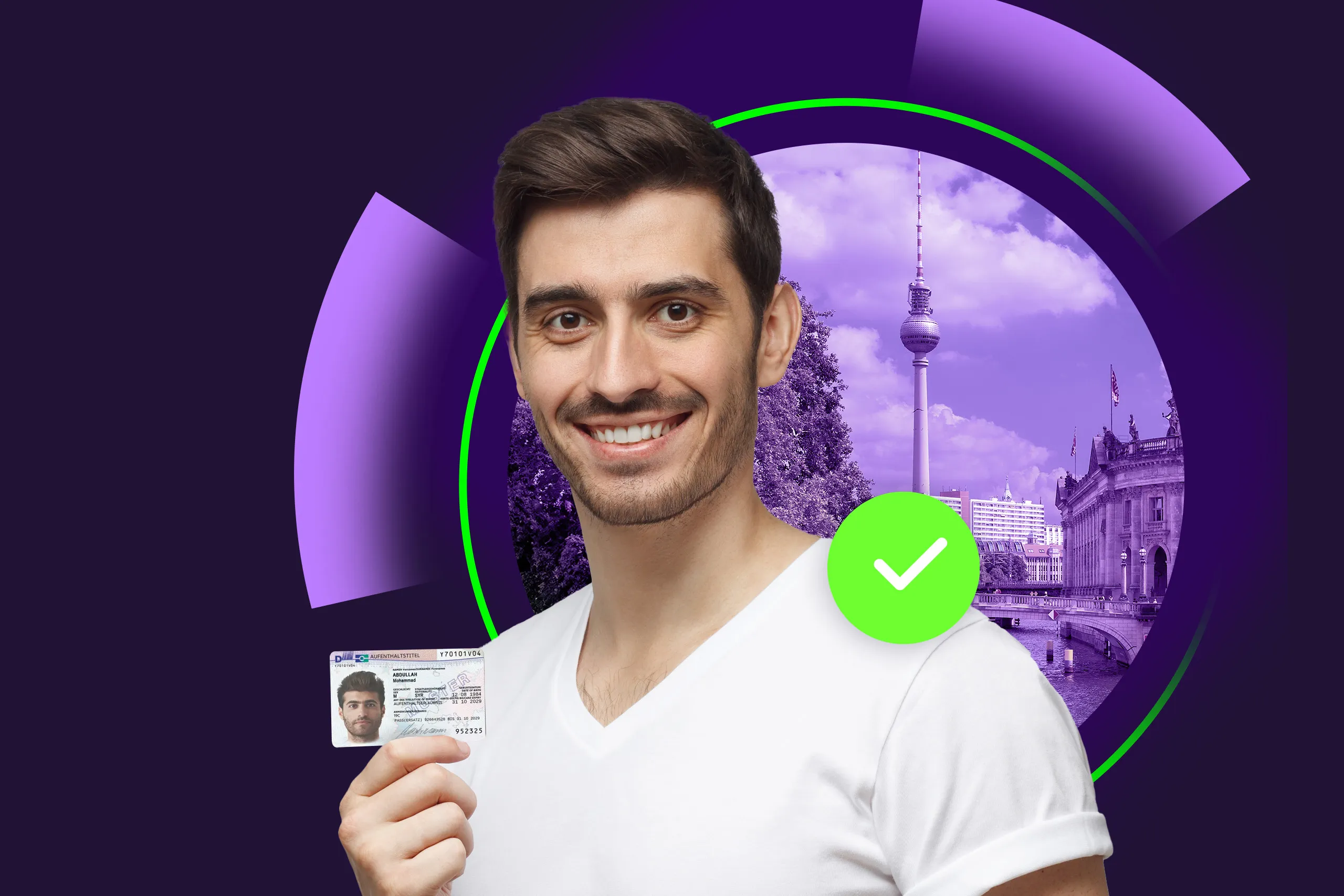
Identity verification is one of the main parts of the process. For example, to obtain a German residence permit, a person must visit an immigration authority (Ausländerbehörde) with their passport as proof of identity and additional documents confirming their eligibility for a temporary residence title.

Since the German residence permit is an electronic ID document, the applicant also must submit their fingerprints, which will be embedded into the document’s RFID chip with other personal data. The photograph is also stored on the chip, and details such as height and eye color appear in the printed part of the card. Applicable exemptions depend on the applicant’s circumstances.
Since May 2025, applicants generally need a digital biometric photograph supplied through an approved route, such as an equipped authority or participating photo provider.
Online example: Accessing public services in Denmark
When a country has a digital national system, many interactions between citizens and the government are conducted through it. In Denmark, the service is called MitID. People enroll once and then use it to sign in to participating services.
One enrollment route can be completed remotely through the MitID app. It involves scanning the document’s code, reading the chip in a supported passport or identity card, and biometric verification through a face scan.
This route requires a compatible phone that can read the document’s chip. Supported foreign documents can also be used, with additional enrollment requirements. Users who cannot complete the document or face scan can book an appointment at a Citizen Service Centre for assistance.
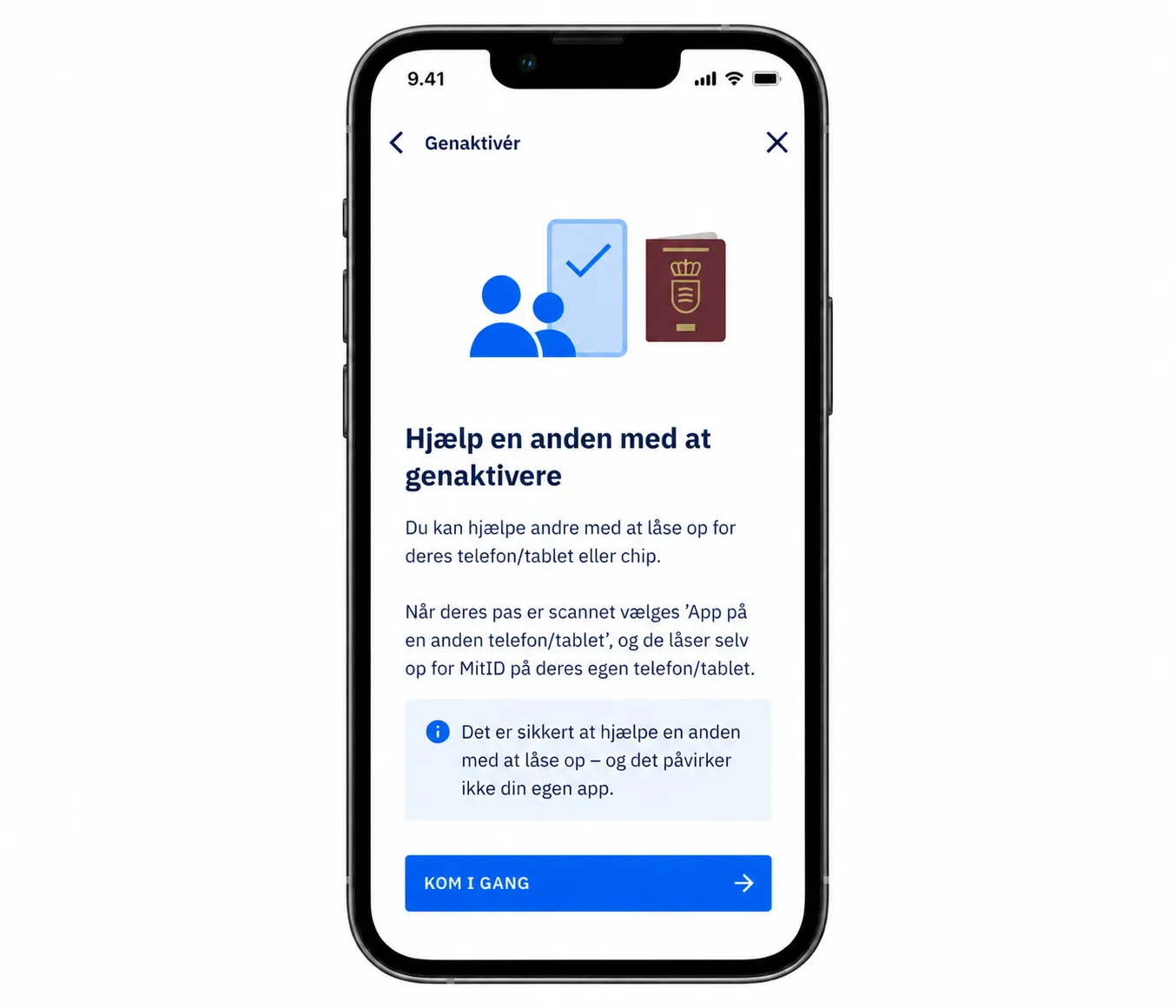
The MitID app also lets users help someone else reactivate access, with a passport scan as part of the process.
After successful verification, the user creates a user ID and activates MitID. The identity established during enrollment supports later authentication, and each public service still applies its own eligibility rules.
Hybrid example: Obtaining a child’s first passport in Ireland
Some government procedures combine an online application with in-person identity checks and documents submitted by post. To apply for a child’s first Irish passport, a parent or guardian completes an online application and prints a Child Passport Identity and Consent Form, which covers the child’s identity and guardian consent.

In Ireland, after submitting an online form, applicants must send their original documents to the Passport Service.
For families living in Ireland, the guardian who completed the application must accompany the child to a member of the Garda Síochána, Ireland’s national police service. The Garda verifies the child’s identity and witnesses the guardian’s consent. A second guardian can have their consent witnessed separately by another appropriate witness.
The completed, witnessed form and required supporting documents must then be sent to the Passport Service, following the instructions on the application cover page. Processing begins once all required documents have been received.
What challenges do government identity checks need to address?
Many government agencies still rely on manual checks or build a hybrid process for identity verification. Each check should have a clear purpose and a defined route for cases that need staff review.
Identity fraud
Fraudsters try to apply for benefits, allowances, etc. using stolen or synthetic identities. Document authenticity checks help detect alterations and inconsistencies, and face comparison helps connect the applicant to the document portrait. Liveness checks assess whether a live person is present during capture.
Remote systems also need protection against fabricated or replayed images and video, whether presented to the camera or injected into the capture process. Agencies need to combine controls according to the risk and define what should trigger further review.
AI-generated identity evidence
Government respondents in Regula’s The New Shape of Identity Threats research reported gaps in assessing the evidence submitted during remote checks. Among the 146 government-sector decision-makers surveyed, 55% reported limited or no capability to assess whether identity evidence was AI-generated, synthetic, or enhanced. This creates uncertainty around the documents and images agencies use to establish an applicant’s identity.
The difficulty also extends to biometric capture: 63% reported partial or no ability to verify that biometric data had been captured live. A recorded or generated face can still resemble the document portrait, so a face match needs support from checks that establish how the image was captured. Testing protection against generated and replayed media helps agencies identify where stronger controls or staff review are needed.
Foreign identity documents
Government institutions often have many non-resident applicants, so regular employees should be trained on how to verify non-domestic identification documents. Employees may encounter documents in unfamiliar scripts, such as Cyrillic, Arabic, or Chinese, as well as differences in transliteration and name order.
In online scenarios, these challenges can be addressed with identity verification software equipped with an up-to-date database of relevant ID templates.
Regula Document Reader SDK recognizes document types and checks information across the visual zone, machine-readable zone, barcodes, and chip, where present.
For onsite checks, there are detailed databases comprising ID references, such as Regula Information Reference Systems, that a government agent can use if there is a need to check a non-domestic passport or driver’s license.
The agency then applies its own policy on which documents it accepts.
Manual checks of submitted ID scans
Many procedures involve a manual part, during which copies of ID documents should be verified. Automatically reading data and flagging inconsistencies can reduce repeated comparison work, giving staff more time for cases that need judgment.
A scan limits the evidence available because some checks require the physical document or access to its chip. Staff therefore need clear instructions on when to request an original or another check.
Troublesome processes for users
Unclear capture instructions can lead to repeated attempts when applicants submit images with glare, blurred text, or cropped document edges. The capture software should flag these problems early and explain how to correct them, such as adjusting the lighting or moving the document into view.
Optical character recognition (OCR) also needs to support the scripts and document layouts the agency expects. If names or other details are read incorrectly, applicants may have to correct them or re-enter information, reducing the benefit of automated form filling. Applicants should be able to check and correct extracted details before they enter the agency’s records.
If a chip read or face scan fails, guidance should explain the next action and how to get assistance. Staff also need the reason for the unsuccessful check, so they can address the problem.
How can government agencies protect identity data?
Agencies can protect applicants’ identity data by collecting it for a defined purpose, controlling access, and setting retention rules. Applicants also need to know which details a document copy must disclose.
In the Netherlands, the National Office for Identity Data provides the KopieID app to help individuals protect their personal details when sharing a copy of an identity document. With the app, they can place a watermark or black out personal information in ID scans to reduce the exposure of details the recipient doesn’t need. The service’s requirements determine which fields must remain visible.

KopieID, an app developed by the Dutch National Office for Identity Data, enables applicants to make secure copies of their identity documents.
Agencies should also define:
-
Which fields and images are needed for the service and its verification checks
-
Which staff can access document images, biometrics, and verification records
-
How long each category of data is retained and when it is deleted or reviewed
Regula IDV Platform supports configurable workflows and on-premises or cloud deployment, helping an agency fit verification into its infrastructure requirements. The agency defines access, permitted use, and retention rules.
INVESTIGATION | Protecting access after enrollment
Canada’s Privacy Commissioner published an investigation in May 2026 into earlier security breaches at the Canada Revenue Agency. The report described more than 42,000 individual breaches dating back to 2020, involving unauthorized access to or changes to taxpayer information.
Investigators identified shortcomings in authentication and monitoring, including the late introduction of mandatory multi-factor authentication (MFA) in October 2021. They found that its earlier absence may have contributed to breaches before that date.
For other agencies, this points to a need to review authentication at sign-in and account recovery, along with the checks used to authorize changes to payment details through telephone services and representative accounts.
It is also important to note that MFA strengthens sign‑in security, but it does not replace identity proofing; agencies need both to prevent unauthorized access and protect established accounts.
How is government identity verification changing?
Online applications, remote biometrics, shared logins, and digital credentials continue to shape government identity verification. Each development affects what applicants submit and what evidence an agency receives.
-
More online interaction. With digitalization and improvements in identity verification software, agencies can offer more remote application steps, alongside appointments and assisted routes where needed.
-
Remote biometric verification. Face comparison can help connect an applicant to their document, supported by liveness and capture protections. The process also needs an alternative for people who require assistance.
-
A single login to different services. The emergence of national digital identity systems is enabling agencies to reuse established identities across participating services. GOV.UK One Login stores verified identity information for reuse and offers proofing routes through its app, online security questions, or a Post Office, depending on the applicant’s circumstances.
-
Digital ID as a new form of identification. Digital credentials can represent information from a physical ID card, driver’s license, or passport. Credential formats and verification requirements can differ across jurisdictions, so agencies need to establish which credentials their services can accept and how to validate them. Under the EU’s digital identity framework, Member States are due to provide European Digital Identity Wallets by the end of 2026. Agencies preparing to accept these credentials need rules for recognizing and validating the evidence.
How can Regula support government identity verification?
Regula provides in-house identity verification solutions for government agencies and system integrators, with its hardware and software used by more than 80 border control authorities worldwide.
Its document readers support checks of original documents at service counters, and Regula Information Reference Systems give staff reference images and descriptions of security features to consult during examination.
Regula Document Reader SDK supports document authenticity checks, Regula Face SDK provides face matching and liveness detection, and Regula IDV Platform brings verification steps into configurable workflows. The appropriate combination depends on the service, the accepted documents, and the channels applicants can use.
If you’re reviewing a government verification process, talk with Regula about your requirements and how the checks could fit your existing portal and in-person services.